
 School device management
MDM for Schools: The Complete Guide to Managing iPad and Mac in Schools 2026
A cookbook for managing Apple devices in schools: MDM/DDM/ADM, Apple School Manager, network infrastructure, deploying iPads and MacBooks, MDM comparison, pricing, common mistakes. From the experience of 300+ schools and 4 years of the Hanus.ai team.

MDM for Schools: The Complete Guide to Managing iPad and Mac in Schools 2026
TL;DR for busy head teachers: MDM (Mobile Device Management) is a necessity even for a small number of iPads. But do not start by buying tablets. Start with a plan in this order: network, ICT coordinator, Apple School Manager, MDM, and only then the devices. This guide takes you all the way from a small village school (malotřídka, up to 30 iPads) through the average Czech school (55 iPads according to mdmproskoly.cz statistics) to a school with 500 or more devices. Plus a comparison of the 4 most widely used MDMs in Europe and three options for help with deployment (€0, €369, €889).
Why this guide exists
A school receives a grant, buys 30 iPads, unpacks them in the preparation week before the new school year starts, and the trouble begins. There is no way to hand out a Wi-Fi password to 30 children at once securely. Apple Classroom does not work because it is not connected to accounts. The App Store is open, students download games, go on social networks, lock the iPads to their own Apple ID, or set a passcode. After a month, half of the iPads are “somehow broken” and the ICT coordinator spends more time firefighting than preparing lessons.
We call this “iPads before the plan”, and it is the most common mistake we have seen again and again in 300 or more schools over the last 4 years. Apple devices in a school do not start with buying devices. They start with understanding everything that has to be prepared around them, and in what order.
This guide gives you the complete picture. It is not a 5-minute read. It is a cookbook you can save, come back to when needed and follow step by step.
1. Three generations of management: MDM, DDM, ADM
Let us start with the terms. If you see these three abbreviations in MDM documentation or offers, you should know what they mean.
MDM (Mobile Device Management), since 2010
The traditional model. The server sends specific commands (for example “install this app”, “disable the camera”) and the device executes them. It is a procedural approach. If the connection drops, a command can be lost or wait in a queue on the server. It requires constant polling, meaning the device asks the server every few minutes “what should I do?”. It works, but it is fragile.
DDM (Declarative Device Management), Apple since iOS 15 (2021)
Apple introduced a new approach. The server declares the target state (for example “the passcode must have 6 characters and require biometrics”) and the device takes care of that state itself, even offline. If the user changes the passcode to a weaker one, the device enforces the rule on its own without waiting for the server. More robust, fewer network operations, faster response.
Apple is gradually migrating more and more settings from traditional MDM to DDM (passcode, email accounts, calendars, apps). By 2027, DDM will predominate.
ADM (Assisted Device Management), the new generation, since 2026
ADM builds on DDM and adds an AI layer in an audited loop. Instead of the ICT coordinator going through the app interface, looking for dependencies between settings and clicking buttons manually, they describe their intention in an ordinary sentence:
“Tomorrow in the second lesson I want only the Kahoot, Stopmotion and Freeform apps in group 5.B.”
The AI converts this into specific DDM declarations, the ICT coordinator approves, and the system carries it out. After the lesson, everything returns to its original state. The AI never acts on its own. There is always an approval step. Every action has an audit trail and can be reversed with one click.
Hanus.ai is the first commercial ADM platform on the market. More in the article What is ADM →.
2. What MDM can manage
MDM is not just “app distribution”. It is the control centre for the entire life cycle of Apple devices in a school:
| Area | What MDM enables |
|---|---|
| Apps and Books | VPP licences, bulk distribution, App Store catalogue, enforced installations |
| Restrictions and profiles | Camera, web, App Store, Wi-Fi, passcode, allowed apps |
| Apple School Manager | Managed Apple Account, identity federation, student/teacher roles |
| Apple Classroom | Class rosters, teacher and student pairing |
| Shared iPad | Shared iPads for several students on one device |
| Single App Mode (Kiosk) | For testing, focused teaching, assistive technologies |
| System updates | Enforcing and scheduling iOS, iPadOS, macOS |
| Home Screen layout | Arranging icons and web clips for whole classes |
| Automated Device Enrolment (ADE) | New devices ready without manual setup |
| Inventory and audit | Status, battery, storage, network and a complete trail of changes |
| Lesson timetable | Settings scheduled in advance (only ADM with AI) |
| Identity and federation | Microsoft 365, Google, LDAP, SAML, OAuth2 |
What Hanus.ai can do from this list and how it looks in the console can be found on the Features → page.
3. What a school must have: the complete picture and in what order
This is the most important part of this guide. Do not start by buying iPads. Do not even start with MDM. Start with a plan in this order.
3.1. Integration plan: critical to start here
When a school gets money (from OP JAK, Šablony, the National Recovery Plan (NPO) or regional grants; these are Czech EU-funded and national programmes), the first impulse is: “let’s buy iPads”. But iPads are second to last in the schedule. Before them you have to sort out:
- Network infrastructure: without it, iPads do not work fully
- ICT coordinator: who will be responsible for the technical side
- Apple School Manager: registration, identity federation (do we have Google or Microsoft)
- Choosing an MDM: which vendor, what price, what it can do
- Connecting ASM and MDM: tokens, sync
- Physical infrastructure plan: where the iPads are stored, how they are charged
- Only then buying the hardware
- And finally teaching: pedagogy and methodology
This order is the result of four years of the Hanus.ai team’s practice with 300 or more schools in the Czech Republic.
3.2. Network infrastructure: it will not work without it
Your existing school Wi-Fi determines what you will be able to do with iPads. Typical scenarios:
| State of your Wi-Fi | What you can do | What you cannot do |
|---|---|---|
| Old PSK network (1 SSID with a password) | Connect a few iPads, basic browsing | Shared iPad, cloud backups, 802.1X security |
| More modern PSK + capacity | Up to 30 to 50 iPads in one classroom | Per-user authentication, certificates |
| 802.1X EAP-TLS + RADIUS | Full Shared iPad, per-student certificate, iCloud backups, separate VLANs | None of this is a limit any more |
A real example: A school with a 20-year-old router wants to launch Shared iPad. Students sign in, MDM downloads the profile, the cloud tries to sync and the Wi-Fi collapses after 10 minutes. The children cannot work. What now? Either go back to 1:1 iPads (one per student), or invest in the network.
Trend 2025 to 2027: European schools are renewing their network infrastructure on a large scale thanks to grants (in the Czech Republic OP JAK and the National Recovery Plan, component 3.1). The move from PSK to 802.1X EAP-TLS with a RADIUS server is becoming the standard. It often goes hand in hand with Fortinet firewalls (FortiGate 60F, 100F and FortiAP), Aruba ClearPass or Cisco Meraki.
📍 For the Czech Republic: The grant programmes for 2025 to 2027 are OP JAK, Šablony III (DigiKomp) and the National Recovery Plan 3.1. Calls are usually published on opjak.cz and npicr.cz.
3.3. Apple School Manager (ASM)
ASM is Apple’s portal for schools. It is free, but requires setup (roughly 1 to 2 hours). We go through it step by step in a separate article, Apple School Manager from A to Z. It is used for:
- Generating Managed Apple Accounts for students and teachers
- Identity federation with Microsoft 365 or Google Workspace
- Buying apps through VPP (Volume Purchase Program)
- Assigning devices to your MDM (through Automated Device Enrolment, ADE)
- Managing classes, students and teachers (roster)
- Verifying the school domain: Apple uses a DNS TXT record to verify that the domain (for example
skola.cz) really belongs to the school. Without a verified domain, you cannot issue Managed Apple Accounts or federate identities with Microsoft 365 or Google. - Pairing with an Apple Authorised Reseller: the reseller assigns the devices you have bought to your ASM through its reseller token (Apple Customer Number / DEP). The devices then appear automatically in the Device Management section and can be sent to the MDM through ADE without manual setup.
When setting up ASM for the first time, allow for two extra administrative steps: verifying the school domain (you need access to DNS) and asking your authorised reseller to assign the purchased devices to your ASM. Both are done only once.
Important: ASM itself is not an MDM. It only handles identity and purchasing. MDM is another layer on top of it.
3.4. MDM (Mobile Device Management)
You choose from dozens of vendors. The main ones in Europe are Jamf, Mosyle, Microsoft Intune and Hanus.ai. You will find a detailed comparison in section 15.
3.5. Physical infrastructure: where and how
This is often forgotten. iPads now come without a power adapter, only with a cable. If you have 30 iPads, you need to decide:
- Where are they stored? Classroom, lockable cabinet, staff office.
- How are they charged? Bulk charging stations (Cambrionix, Parat, Loxit), charging cases, charging cabinets.
- Who hands out and collects the devices? The teacher? The ICT coordinator? The student?
- Who keeps track of who has what? Excel? MDM inventory? A specialised loan system?
Investment: A good charging case for 30 iPads costs roughly €1,000 to €2,000. That is 10% of the cost of the iPads, and it is very often forgotten when applying for grants.
4. Advanced network infrastructure: why schools are investing right now
In 2025 there was a turning point in European education. Wi-Fi changed from a “nice-to-have” into critical infrastructure. Without it, MDM does not work, Shared iPad does not work, cloud backups do not work, and Apple Classroom is slow.
What schools are introducing
- 802.1X EAP-TLS with RADIUS: instead of PSK (a shared password), every user has a certificate. The student signs in with a Managed Apple Account, and MDM issues a per-device certificate through SCEP. A RADIUS server (FreeRADIUS, Microsoft NPS, Cisco ISE) verifies the certificate. More secure than PSK and auditable per user.
- VLAN segmentation: separating traffic for students, teachers, guests and IoT (cameras, printers).
- Web filter (Family Filter, FortiGuard, OpenDNS for Schools).
- Fortinet firewall and FortiAP: a complete solution with tunnelling, IPS and web filter.
- Central management through a cloud panel (Meraki, Aruba Central, Fortinet FortiManager).
EU grants for network renewal 2025 to 2027
📍 For the Czech Republic:
- OP JAK: Operational Programme Jan Amos Komenský, calls for the digitalisation of primary and secondary schools
- National Recovery Plan component 3.1: digital transformation of education
- Šablony III (simplified project templates for schools): DigiKomp and technology equipment
- Regional grants: some regions add their own programmes
Real investment: Renewing the network for a school with 200 students costs roughly €6,000 to €16,000, depending on the scope. Grants usually cover 70 to 100%.
Apple specifics for 802.1X
iPads fully support EAP-TLS through MDM:
- MDM issues a per-device certificate (through a SCEP server or a built-in CA)
- For Shared iPad: a per-user certificate (different for each student)
- Automatic certificate renewal (90 to 365 days)
- Migrating from PSK to EAP-TLS takes roughly 2 hours of work with a good MDM
We describe the connection to Microsoft 365, Google, Entra ID and 802.1X on the Integrations → page.
5. School sizes: three typical scenarios
Your situation differs significantly depending on size. Here are three categories.
Small village school (malotřídka, up to 30 devices)
- Typical situation: 1 to 5 classes (several year groups often share one class), one ICT coordinator (often a full-time teacher, MDM is a side job)
- Recommendation: Cloud MDM with local-language support, a simple console, self-management
- Network: Good PSK and 1 to 2 APs (ordinary Wi-Fi) are enough, RADIUS is not necessary (unless you need Shared iPad)
- Costs: roughly €1,200 to €2,000 per year in total (MDM, charging case, maintenance)
- The Hanus.ai path: Hanus Lite free of charge, then moving to the full version at €6.60 per device per year
Medium-sized school (30 to 100 devices)
- Typical situation: a primary school (ZŠ, years 1 to 9) with 200 to 400 students, 1 ICT coordinator (0.2 to 0.5 of a full-time position for MDM work)
- Recommendation: Full MDM with automation, 802.1X RADIUS recommended, accredited teacher training (DVPP)
- Network: Modern APs, VLAN segmentation, ideally cloud-managed
- Costs: several thousand euros per year in total
- The Hanus.ai path: Full version at €6.60 per device per year and turnkey installation (one-off)
Larger school (100 or more devices)
- Typical situation: A large primary school, a secondary school, a gymnázium (academic secondary school) or a group of schools; an ICT coordinator, teachers with delegated rights and an external IT company
- Recommendation: Enterprise MDM, RADIUS with Cisco ISE or Aruba ClearPass, automation through the API, integration with Active Directory or Entra ID
- Network: Cisco, Aruba, Meraki or Fortinet enterprise stack, VLANs, web filter, redundancy
- Costs: up to around €4,000 per year in total
- The Hanus.ai path: Hanus.ai, custom integrations and accredited teacher training (DVPP) for the whole IT team
6. A special segment: schools for students with special educational needs (SEN)
Special schools and inclusive classes have specific requirements. Here, the iPad becomes a key assistive technology:
- Communication apps for non-verbal students (LetMeTalk, Proloquo2Go, Avaz), typically in a fully locked kiosk mode
- Text read-aloud (VoiceOver, Speak Screen), with settings distributed through MDM
- Adapted input (Switch Control, AssistiveTouch), for students with motor difficulties
- Reading mode with high contrast and a larger font
- Fully locked restrictions (no App Store, Safari or Camera, where a student could get lost)
Using MDM in SEN schools:
- Per-group (per-student) configuration
- One iPad, one student, one adapted profile
- Kiosk mode throughout the day (the student cannot leave the communication app)
- Audit trail (for checks by parents and counselling centres)
In the Czech Republic there are roughly 700 or more schools for students with SEN (not only special schools established under the Czech Education Act specifically for these students). Most are slowly digitalising, and Apple devices are often the first choice because of their mature accessibility layer.
Hanus.ai and SEN schools: Special education teachers do not have to learn MDM jargon. They just write a sentence such as “On Honza’s iPad I want only Proloquo2Go, turn off everything else” and the AI sets it up. The special education teacher approves, done.
7. Types of Apple accounts: an important matrix
The Apple account is the basis of everything. There are three types:
| Type | For whom | Can it be used in school? |
|---|---|---|
| Personal Apple ID | A student with their own Apple ID | NO for school iPads (the student loses data if lost, MDM is limited) |
| Managed Apple Account | An account created by the school through ASM | YES, the primary choice |
| Federated Managed Apple Account | A Managed Apple Account with federation (M365, Google) | YES, the modern solution (single sign-on) |
Federation works like this: the student signs in on the iPad with their school email (for example jan.novak@skola.cz), Apple verifies it against Microsoft Entra ID or Google Workspace and issues a Managed Apple Account with the same login. The student uses only one password, the school one.
iCloud for students: You can turn it on (backups, sharing, 200 GB of cloud storage from Apple free of charge) or turn it off (more control).
8. Three ways to deploy iPads
Everything differs depending on the type of deployment: licences, MDM features, pedagogy.
1:1 (personal iPad)
- Every student has their own iPad
- Sometimes at primary school, but typically at secondary school or a gymnázium
- Full management through MDM
- The student signs in with their Managed Apple Account and has their own iCloud
- Long-term: the student uses the iPad until the end of their school cycle
Shared iPad
- One iPad for several students (typically 3 to 8 students per iPad)
- Students sign in with their Managed Apple Account
- Data is separated, apps are isolated per user
- The iPad automatically downloads the profile of the given student
- Requires: Good Wi-Fi (because of sync), Apple School Manager, MDM
- Also suitable for: primary schools on a small budget, where iPads rotate between classes
BYOD (Bring Your Own Device)
- A student or teacher brings their own iPad or MacBook
- It connects to the MDM only for school data (User Enrolment)
- Complete separation of personal and school (data is never mixed)
- Apple calls this “Account-driven User Enrollment”
- Suitable for: teachers (their own MacBook), older students at secondary school
ADE (Automated Device Enrolment)
ADE is key for 1:1 and Shared iPad. After it is first switched on, the device automatically:
- Connects to your Wi-Fi (through a configuration profile)
- Downloads the MDM profile
- Applies your restrictions
- Installs the apps
- The student starts working
Without ADE, the ICT coordinator has to set up every iPad manually (roughly 15 to 30 minutes per device). For 30 iPads, that is 8 to 15 hours of work.
Important detail: ADE works only if you buy the devices from an authorised Apple partner. More on that in section 10.
What we do not recommend: a “hybrid” 1:1 without Shared iPad and student accounts
Many schools have set up a kind of hybrid in 1:1 iPad mode, but without Shared iPad and student accounts. This mode looks as if each student has been assigned their own iPad, but in reality other students take turns on it.
This is a critical security issue. Students see other students’ work, browser history, photos and other personal data. On top of that it opens the door to today’s reality, cyberbullying. It is impossible to trace which student behaved inappropriately on the device, because the iPad cannot tell who was working on it at the time.
Solution: Either genuine 1:1 (the student has their own iPad) or genuine Shared iPad (every student signs in with a Managed Apple Account, audit trail per user). A pseudo-hybrid is not an option.
9. MacBook in school: teachers and BYOD
Traditionally, schools had one desktop PC in the staff room, which teachers took turns using. That is changing. The 2026 trend: most teachers own a laptop, and today it is often an Apple MacBook.
The arrival of MacBook Neo
In 2026 Apple introduced MacBook Neo, an affordable model from about €540 (Apple partner Comfor special offer for schools). That significantly lowers the entry barrier. MacBook Neo is suitable for a teacher who:
- Writes texts (Pages, Word)
- Prepares presentations (Keynote, PowerPoint)
- Manages course material in Google Classroom or MS Teams
- Assesses students
- Communicates with parents by email
Three scenarios for MacBook in school
A. Fully school-owned (1:1)
- ADE enrolment, MDM, Managed Apple Account
- Full control by the school
- Suitable for: a new teacher, loan devices
B. Teacher BYOD (a growing trend)
- The teacher brings their own MacBook with their personal Apple ID
- It connects to the MDM through User Enrolment (work account only)
- The school manages only work data: email, calendar, contacts, VPN, Wi-Fi certificate, Office
- Personal data stays private (photos, music, personal email)
- Complete separation according to Apple’s “Account-driven User Enrollment”
C. Hybrid (the teacher has a school iPad and a personal MacBook)
- Both managed in the MDM as one teacher profile
- Synchronisation of settings, contacts, keychain
- Ideal for a teacher who moves between classrooms a lot
MacBook and the school network
- The same RADIUS or 802.1X authentication as iPads (per-device certificate through SCEP)
- Wi-Fi profile set up automatically by MDM (the teacher does not need to know the password)
- VPN access to internal resources (storage, intranet)
MacBook and Apple Classroom
Apple Classroom (the app for teachers) currently works only for iPad in the role of the “controlled device” (the student’s device). A MacBook can only be the teacher’s device (Classroom runs on the Mac to manage students’ iPads). For full Classroom functionality between Macs you need other tools (Apple Remote Desktop, or Hanus.ai’s own solution).
10. Buying hardware: an authorised Apple partner is key
This is often overlooked. Where you buy your iPads has a major impact on how easily the devices get into ASM.
Authorised Apple partner (APP, APR or AAR)
- The authorised Apple partner registers your new devices in ASM on request
- In ASM you just assign the devices to your MDM (1 click)
- When switched on, the device enrols in the MDM through ADE by itself
- 95% time saving compared with manual setup
Non-authorised seller (ordinary online shop, IT company)
- Apple does not register the devices as belonging to your school
- You have to add each device to ASM manually through Apple Configurator
- Apple Configurator comes in two versions:
- Mac app (classic): you need a physical Mac, a USB-C cable and to connect each iPad in turn. 5 to 10 minutes per device, for 30 iPads that is 3 to 5 hours of work
- Apple Configurator for iPhone: faster. An iPhone signed in to the school’s Apple School Manager account uses its camera to scan the setup screen (Hello screen) of each iPad and assigns it to ASM. No cable, faster
- Plus the risk that the seller cannot advise on MDM, networks and other matters
Recommendation
📍 For the Czech Republic: You can find a list of Apple Authorised Resellers at apple.com/cz/find-locator. From our experience, we recommend the Apple partner comfor.cz, which specialises directly in the needs of schools, and not only in the area of Apple devices. There are several authorised resellers in the Czech Republic, and once you choose one, always tell them in advance: “We will need our school devices assigned to Apple School Manager.”
Price difference: With an authorised reseller you can regularly get education discounts supported by Apple. The savings in money for the school, and in time and stress for the ICT coordinator, compared with buying from a non-authorised seller are truly significant.
11. Who looks after device management
This is an often underestimated question. Without a person responsible for MDM, MDM does not work. There are three typical models. What MDM brings to the individual roles in a school is summarised on the Who it is for page.
Model A: ICT coordinator (teacher-administrator), the most common
- A full-time teacher in another subject (often mathematics, computer science, physics)
- MDM work as an extra 0.1 to 0.5 of a full-time position
- Often overloaded, does MDM in the afternoons
- Advantages: knows the school, knows the students, knows the pedagogy
- Disadvantages: limited time, limited technical experience
- The Hanus.ai solution: the AI assistant simplifies routine tasks, so the ICT coordinator can do more in less time
Model B: External company
- A contract with a smaller IT company (typically up to about €2,000 per year)
- The IT company usually handles MDM for several schools at once
- Advantages: experience with the technology, a consistent approach
- Disadvantages: inflexibility. When a teacher on Thursday afternoon needs to quickly set up a kiosk for a Friday lesson, the company will not manage it at 17:00.
- Also: an external company does not know day-to-day teaching and often offers only generic solutions
- Large IT companies: there are also large suppliers, but they are considerably more expensive and their response time can sometimes be very long
Model C: In-house IT team
- Only larger schools (larger urban primary schools, gymnázia, groups of schools)
- 1 or more FTE for MDM, networks, servers
- Fully technically competent
- More expensive, typically from about €24,000 per year in salary costs
Good practice example: the City of Plzeň
The City of Plzeň has its own IT organisation for its schools, SIT města Plzně, which comprehensively provides the hardware and network infrastructure for all the schools the city founds. A similar model works in other cities too, but based on our experience from various places, we present it as an example of good practice.
SIT helps the city with buying hardware, handles the network infrastructure completely, gives administrators access to a knowledge base and provides a range of other support services. At the same time, it leaves schools autonomy in choosing and managing their MDM. They understood that even a central organisation cannot be fast and flexible enough to cover, from one day to the next, the current needs of teaching that arise directly in the classroom.
It is a healthy division of roles: the school founder (local authority) looks after the backbone infrastructure (network, hardware, security), and the school runs its MDM at the pace of its own teaching.
Recommendation by size
| School size | Recommended model |
|---|---|
| Small village school (up to 30) | ICT coordinator and AI MDM (Hanus.ai) |
| Medium-sized (30 to 100) | ICT coordinator, accredited teacher training (DVPP) and Hanus.ai |
| Larger (100 or more) | In-house IT team, enterprise MDM and automation |
12. Apple Classroom: how a teacher controls iPads in the classroom
Apple Classroom is a free app from Apple for teachers. It allows you to:
- View a student’s screen (the student sees that they are being viewed, for transparency)
- Lock an app (students are “locked” in Kahoot and cannot escape to YouTube)
- Open a page or app for all students at once
- Distribute a document through AirDrop (without needing a verification code)
- See which app a student is currently working in
- Reset a student’s password (if they forgot it)
Prerequisites
- Apple School Manager with a roster (students, teachers, classes)
- Synchronisation with the MDM (assigning students to iPads)
- The Classroom app on the teacher’s iPad or Mac
- Students’ iPads within range (Bluetooth and Wi-Fi)
Manual vs Managed Classroom
- Manual: The teacher creates classes in the Classroom app manually (Bluetooth pairing)
- Managed: Classes synchronised from ASM through the MDM, automatically
Managed mode is a considerably better and more advanced solution.
13. Security, GDPR and the EU framework
iPads in a school contain students’ personal data. How Hanus.ai approaches this (data in the EU, audit, AI Act) is described on the Security page. In general, you need to address:
GDPR
- Legal basis for processing: contractual (Art. 6(1)(b)) and legitimate interest (Art. 6(1)(f))
- DPA (Data Processing Agreement) with the MDM vendor, mandatory
- Data retention period: typically 1 to 3 years after the end of the relationship
- The student or parent has the right to erasure and access (DSAR)
Data residency
- Where does the MDM server run? Cloud in the EU or the USA?
- MDM vendor: depends on the vendor (Mosyle USA, Jamf USA, Microsoft Intune US or EU, Hanus.ai AWS Frankfurt EU)
📍 For the Czech Republic: We recommend an MDM with primary data residency in the EU. The Czech Ministry of Education (MŠMT) has issued recommendations for cloud services in education (msmt.gov.cz), which, among commonly available MDMs, only Microsoft and Hanus.ai (formerly mdmproskoly.cz) meet.
Web content filter for K-12
Some foreign MDMs (Jamf School Plus with Jamf Safe Internet, Mosyle ONE K12) include an integrated DNS-based content filter for schools. It filters content categories (pornography, gambling, drugs), enforces Google SafeSearch and protects against phishing.
In the Czech Republic there is no strict legal requirement as in the USA (Children’s Internet Protection Act), but the Czech School Inspectorate (ČŠI) and parents expect it, especially in inclusive and SEN schools.
Options today:
- Integration in the MDM itself (Jamf Safe Internet, Mosyle DNS filter), paid, from the $9 tier
- External DNS service (Cloudflare for Teams, OpenDNS for Schools, NextDNS), then set up a managed DNS profile in the MDM. Cloudflare and OpenDNS have free education editions.
- Firewall level (Fortinet, FortiGuard, Aruba), filtering at network level
📍 Hanus.ai roadmap: We are preparing an integrated DNS web filter, “Hanus Safe Internet”, by the end of 2026. It will be part of the Hanus.ai licence at no extra charge (€6.60 per device per year stays the same). Until then, we recommend free external services (Cloudflare for Teams, OpenDNS for Schools), which can be set up through a Hanus.ai managed DNS profile in 10 minutes.
AI Act (2026)
If you use an MDM with an AI layer (such as Hanus.ai), the AI Act requires:
- Transparency: the user knows they are interacting with AI (Art. 50)
- Auditability: every AI proposal and human approval must be logged
- Reversibility: AI decisions must be reversible by a human
Hanus.ai is designed exactly according to these principles (audit trail per action, reversibility with one click).
Audit for inspection
📍 For the Czech Republic: The Czech School Inspectorate (ČŠI) and the Office for Personal Data Protection (ÚOOÚ) may request an audit trail. The MDM should be able to export:
- Who had access to which device and when
- Which setting was changed and when
- Which apps ran in kiosk mode
14. Costs: a complete breakdown
A complete view of the costs (in euros including VAT; the euro figures follow the Slovak version of this guide, which uses the Slovak VAT rate of 23%).
One-off costs
| Item | Price (€) |
|---|---|
| Apple School Manager | 0 |
| iPad (11th generation, 128 GB) | approx. 350 |
| MacBook Air (M5, 13") | approx. 1,190 |
| MacBook Neo (Apple partner Comfor) | from approx. 540 |
| Epico keyboard | approx. 110 |
| Charging case for 25 iPads (Parat, Cambrionix) | approx. 1,380 |
| Installation and accredited teacher training (DVPP) (Hanus.ai) | 0 to 889 |
Annual costs (for 50 iPads, Czech average)
| Item | Price (€ per year) |
|---|---|
| Apple School Manager | 0 |
| MDM Hanus Lite | 0 |
| MDM Hanus.ai (full version) | 330 (fixed in €) |
| MDM Jamf School Standard (USD 5.50/device/year) | direct 291* / through a Czech partner 335 to 378** |
| MDM Jamf Enhanced Bundle (USD 9.00/device/year) | direct 476* / through a Czech partner 547 to 619** |
| MDM Mosyle Manager Free | 0 (unlimited devices, limited features) |
| MDM Mosyle Manager Premium (USD 5.50/device/year) | direct 291* / through a Czech partner 335 to 378** |
| MDM Mosyle ONE K12 (USD 9.00/device/year) | direct 476* / through a Czech partner 547 to 619** |
| Network maintenance | approx. 590 |
| App Store apps (VPP), on average | approx. 200 (mainly schools with SEN students) |
*Direct from the vendor: converted at €0.8602 per USD. VAT is added to the USD price through reverse charge (21% in the Czech Republic). If the school is not a VAT payer, before the first invoice it must register as an identified person (a special VAT registration for receiving services from abroad) with the tax office, file a monthly VAT return for the service received from abroad and pay this VAT from its own funds. Plus the bank’s card fees for a foreign transaction in USD.
Through a Czech partner: a 15 to 30% higher price, but invoicing in local currency, a contract in Czech and no identified person registration. The partner sometimes insists on mandatory technical support through them (you do not go directly to the vendor).
Hanus.ai invoices at a fixed price in euros on an invoice with the usual payment terms of 14 or 30 days. No extra VAT administration, no exchange rate risk, no identified person registration.
Example: small village school, 30 iPads (1st year)
- 30 times iPad (11th gen, 128 GB): approx. €10,500
- Charging case: approx. €1,380
- Turnkey installation (Hanus.ai): €889
- MDM Hanus.ai (1 year): €198
- Total 1st year: roughly €12,970
- Following years: €198 (MDM only)
Without a grant, this is self-funded. With a grant (OP JAK, National Recovery Plan), typically 70 to 100% of the hardware and networks is covered.
15. MDM comparison for European schools
The four most widely used MDMs in European education. When a school chooses an MDM, it often sees only the basic price list. The truth is that both Jamf and Mosyle have several pricing tiers, each with different features. This section is a transparent guide.
15.1. Pricing tiers of foreign MDMs (all per device per year)
| Vendor | Tier | Price in USD per year | What is included |
|---|---|---|---|
| Jamf School | Standard | USD 5.50 | Basic MDM, Apple Classroom |
| Jamf Education Enhanced Bundle | Premium | USD 9.00 | Jamf School plus Jamf Safe Internet (DNS web filter) and standard support |
| Jamf Education Ultimate Bundle | Top | USD 20.00 | Everything in Enhanced plus Jamf Protect (macOS antivirus) and Jamf Connect (SSO) |
| Mosyle Manager Free | Free | 0 | Basic MDM (free for K-12 with limitations) |
| Mosyle Manager Premium | Basic | USD 5.50 | Full MDM, classroom management |
| Mosyle ONE K12 | Premium | USD 9.00 | 6 in 1: MDM, DNS web filter, macOS antivirus, Mosyle Auth SSO, Enhanced apps, Classroom, compliance scanning and privilege management |
Conversion to euros for 1 device per year (€0.8602 per USD, Slovak VAT 23%):
- USD 5.50 = €4.73 direct from the vendor (before VAT), with 23% VAT it is €5.82, through a Czech partner €6.69 to €7.57
- USD 9.00 = €7.74 direct from the vendor (before VAT), with 23% VAT it is €9.52, through a Czech partner €10.95 to €12.38
- USD 20.00 = €17.20 direct from the vendor (before VAT), with 23% VAT it is €21.16, through a Czech partner €24.33 to €27.51
Plus, if the school is not a VAT payer, it must register as an identified person with the tax office (extra administration) and file a monthly VAT return for the service received from abroad. Details in section 15.6.
15.2. Comparison table
| Hanus.ai | Jamf School | Mosyle | Microsoft Intune | |
|---|---|---|---|---|
| Price (50 iPads per year), basic tier direct | €330 (fixed) | €291* | €291* | (included in M365 A3) |
| Price (50 iPads per year), $9 tier with web filter direct | €330 (fixed) | €476* | €476* | (different model) |
| Price (50 iPads per year), $9 tier through a Czech partner | €330 (fixed) | €547 to €619** | €547 to €619** | (different model) |
| Free tier (permanent) | YES, Hanus Lite, unlimited | NO (trial only) | YES, Mosyle Free, unlimited | only with M365 A1 EDU |
| Full version trial period | 45 days, no card | 100% K-12 trial | 30 days of premium features | A3 trial 90 days |
| Invoicing currency | EUR | USD | USD | USD or EUR |
| Payment | invoice with payment terms | card payment | card payment | invoice or card |
| Contract in Czech | YES | NO | NO | YES |
| Arbitration court in the Czech Republic | YES | NO | NO | YES |
| EU data residency | YES, AWS Frankfurt | EU at extra cost | USA | YES, EU region |
| Compliant with the Czech Ministry of Education (MŠMT) cloud services recommendations | YES, explicitly | NO | NO | YES, Microsoft Cloud |
| AI assistant (ADM) | YES, Hanuš AI | NO, read-only only | NO | NO, Copilot is read-only |
| Suitable for a teacher-coordinator | YES | limited | limited | NO, for experienced IT |
| Apple-only focus | YES | YES | YES | NO, multi-platform |
| K-12 focus | YES, grew up in Czech schools | YES | YES, K-12 specific | general |
| Open source | NO | NO | NO | NO |
| Years on the market | 4 years, successor to mdmproskoly.cz | 20 or more | 10 or more | 10 or more |
*Foreign prices depend on the current USD exchange rate and include VAT through reverse charge (23%, the Slovak rate used for the euro conversion).
15.3. What you get for the $9 tier (and how Hanus.ai compares)
Here is a transparent, feature-by-feature view. No marketing fluff.
| Feature | Hanus.ai (€6.60 per device) | Jamf Enhanced ($9 tier) | Mosyle ONE K12 ($9 tier) |
|---|---|---|---|
| Core MDM (DDM-native) | YES | YES | YES |
| Apple Classroom integration | YES | YES | YES |
| Apple School Manager federation | YES | YES | YES |
| VPP and app management | YES | YES | YES |
| Shared iPad | YES | YES | YES |
| Kiosk and Single App Mode | YES | YES | YES |
| Wi-Fi 802.1X EAP-TLS and SCEP | YES | YES | YES |
| VPN profile and SCEP | YES | YES | YES |
| Managed DNS server | YES | YES | YES |
| DNS web content filter (categories, SafeSearch) | 🛡️ end of 2026 | YES, Safe Internet | YES |
| macOS antivirus / threat protection | NO | NO (only $20 tier) | YES |
| Compliance scanning (CIS baseline) | NO | NO (only Jamf Pro) | YES |
| Privilege Management (PEDM) | NO | NO (only $20 tier) | YES |
| Self Service portal | partly | YES | YES |
| Automated third-party patching (Mac) | partly (App Store) | limited | YES |
| ADM / AI assistant | YES, Hanuš | NO | NO |
| Lesson timetable with AI scheduling | YES | NO | NO |
| Booking system | YES | NO | NO |
| Console in Czech | YES | NO | NO |
| Contract in Czech, court in the Czech Republic | YES | NO | NO |
| Invoice in EUR with payment terms | YES | NO | NO |
| Explicit Czech Ministry of Education (MŠMT) compliance | YES | NO | NO |
| You pay only for your most numerous device type | YES | NO | NO |
| EU data residency | YES, Frankfurt | EU at extra cost | USA |
15.4. Honest disclosure: what we still lack compared with the $9 tier
Instead of hiding things or manipulating, we state clearly here what the competition offers in the $9 tier and we do not yet.
1. DNS web content filter (categories, SafeSearch, phishing). Jamf Safe Internet and the Mosyle DNS filter have it. We are preparing “Hanus Safe Internet” by the end of 2026 as part of the licence at no extra charge. Until then, we recommend free external services (Cloudflare for Teams, OpenDNS for Schools), which integrate easily into Hanus.ai through a managed DNS profile.
2. macOS antivirus and threat protection. Mosyle ONE K12 has it. Jamf has it only in the $20 Ultimate Bundle. For most Czech primary schools it is not critical, as Apple has built-in XProtect and Gatekeeper. Relevant only for large Mac fleets at secondary schools and gymnázia.
3. Compliance scanning (CIS baseline). Mosyle ONE K12 has it. Jamf School does not. Relevant for large organisations with ISMS, NIS2 or NÚKIB (Czech National Cyber and Information Security Agency) compliance. Not a requirement for a typical primary school.
4. Privilege Management (PEDM). Mosyle ONE K12 has it. It allows a teacher temporary admin rights on a Mac. Rarely needed in Czech primary schools.
5. Self Service portal for teachers and students. Jamf Self Service, Mosyle Self Service. With us, so far in a limited form (through Web Clips). Roadmap 2027.
6. Automated patching of third-party apps on macOS. Mosyle ONE K12 has it. App Store apps update automatically everywhere; the gap is only with .pkg installers for Mac.
15.5. Our roadmap for feature parity
For completeness, here is what we are actively working on:
| Priority | Feature | Timeline |
|---|---|---|
| P0 | Hanus Safe Internet (integrated DNS web filter) | end of 2026 |
| P1 | Self Service portal for teachers and secondary school 1:1 | first half of 2027 |
| P2 | Compliance dashboard (CIS Level 1) | 2027 |
| P3 | macOS AV partnership | 2027 |
| P3 | Automated third-party patching for Mac | 2027 |
| P4 | Privilege Management (PEDM) | 2027 |
Hanus Safe Internet (P0) is our priority investment until the end of 2026. Once it launches, Hanus.ai will have full feature parity with the competition’s $9 tier in the area of web filtering, at a considerably lower price and in Czech.
15.6. An important detail for Czech schools: how foreign MDMs are paid for
Here is an often overlooked difference between American and European suppliers, which schools only run into after signing the contract.
Jamf and Mosyle: card payment in USD
- Invoicing is in US dollars. The school must have a payment card that can pay abroad in USD.
- 21% VAT is added to the price (reverse charge).
- If the school is not a VAT payer, it must register as an identified person with the tax office because it receives a service from abroad. That is an extra administrative burden.
- Exchange rate and foreign transaction fees.
- Many Czech schools do not have a card that can make USD payments abroad, the bank has restrictions, or the school founder (municipality, region) does not approve it.
The solution through a Czech partner: more expensive and with a commitment
- Jamf and Mosyle have partners in the Czech Republic who resell licences in local currency on an invoice.
- Czech partners’ specific prices are not publicly available and require an individual quote. From our experience, they are 15 to 30% higher than direct from the vendor.
- Partners often commit schools to working with them on technical support (mandatory consultation through them, you cannot go directly to the vendor).
- This can be an advantage (local support in Czech) or a disadvantage (dependency, higher price, limited flexibility when changing).
Current Czech partners of Mosyle and Jamf (2026):
- 24U s.r.o. (Apple Solution Expert for Education), official Mosyle and Jamf partner in the Czech Republic, invoicing in local currency on an invoice, training in Czech via Zoom. As a guide, Mosyle Manager Premium at CZK 180 per device including VAT (24U offer as of June 2026). obchod.24u.cz
- System4u s.r.o. (Apple Premium Technical Partner), partner for Jamf, Mosyle and Microsoft, system4u.cz
- Logicworks (Apple Consultants Network), partner for Jamf, Mosyle and Kandji, logicworks.cz
- wefree.cz, implementation partner for Apple management in schools, wefree.cz
- Comfor (Apple Authorised Reseller specialising in education), buying hardware and support for deploying Apple devices, comfor.cz/apple-pro-skolstvi
You can use the same partners (24U, System4u, Logicworks) for Jamf too. Directly, Jamf sells through its own education sales team with support in English and pricing on request (custom pricing).
Microsoft and Hanus.ai: Czech terms without commitment
- Invoicing in local currency.
- Contract in Czech.
- Arbitration courts in the Czech Republic.
- Hanus.ai also offers the usual invoice payment terms (typically 14 or 30 days), which is standard for schools’ public budgets. No card is needed at all.
- They meet the Czech Ministry of Education (MŠMT) recommendations for cloud services (contracts in Czech, legal compliance with Czech law).
Microsoft Intune: yes, but with a big “but”
- Microsoft Intune is a technically good MDM and meets Czech legal requirements.
- But it is a tool for experienced IT administrators, not for a teacher-ICT coordinator.
- The console is complex, the console and documentation are not very skilfully translated into Czech, and integration with Apple ASM requires the experience of an IT professional with practice in Microsoft Entra ID and conditional access.
- Intune is not part of the standard school plans. The free A1 edition includes only the limited “Intune for Education”; full Intune MDM (Plan 1) is only in the Microsoft 365 Education A3 or A5 edition.
- Microsoft 365 A3 or A5 licences in turn mean a commitment to the whole MS platform (Office, Teams, OneDrive), which not every school wants.
- For a small village school or a secondary school with a teacher-coordinator as the MDM administrator, Intune is typically excessively complex.
- When it does make sense: for a technically skilled administrator who already pays for A3 or A5 licences with Intune, Intune can be a solid and good choice. Paying for another MDM alongside it may then not make sense, if the ICT coordinator can find their way around the Microsoft environment.
15.7. Free tier: who has one, who does not
Some MDMs offer a free version for testing or permanent use with limitations. Here is a comparison.
| Vendor | Free tier | Limitations | Full trial |
|---|---|---|---|
| Hanus Lite | YES, permanent, unlimited number of devices | No ADM/AI assistant, no lesson timetable and templates, no phone support | 45 days of full Hanus.ai free |
| Mosyle Manager Free | YES, permanent, technically unlimited number of devices | Marketed for up to 30 devices, no web filter, no AV, no SSO | 30 days of full premium features |
| Jamf School | NO, no permanent free tier | --- | 100% free K-12 trial (no card) |
| Microsoft Intune | Only with Microsoft 365 A1 (free for EDU) | A1 does not have Intune Premium features | A3 trial 90 days |
Hanus Lite is suitable for:
- Schools that want to try Hanus.ai without commitment
- Small village schools with fewer than 30 iPads that use only basic MDM
- Schools that need MDM occasionally and do not use iPads regularly
- A permanent fallback for an experienced IT coordinator
Mosyle Free is the equivalent in basic features, but in an English-language environment and without Czech support.
15.8. The comparison in brief
- Hanus.ai: Czech MDM with AI, invoicing in euros on an invoice, grew out of 300 or more Czech schools. At €6.60 per device per year it is cheaper than the €9.52 of the foreign competition’s $9 tier. The ADM/AI layer is our unique feature. We are preparing a DNS web filter by the end of 2026.
- Jamf School: the industry standard for Apple MDM. The Standard tier (USD 5.50) is pure MDM. The Enhanced Bundle (USD 9) adds Safe Internet. The Ultimate Bundle (USD 20) adds Protect and Connect. Everything in English, USD cards, plus VAT and fees.
- Mosyle: a generous free tier for K-12, the Premium tier (USD 5.50) is pure MDM, ONE K12 (USD 9) is a complete 6-in-1 package. In English, USD cards.
- Microsoft Intune: makes sense only if you already have Microsoft 365 A3 or A5 licences and an experienced IT team. It is not a tool for a teacher-ICT coordinator.
Detailed comparisons:
16. Help with deployment: three options with Hanus.ai
Most schools contact us saying “we want MDM”, but actually do not know what MDM does. They only know they need it. For these schools we offer three levels of help.
Option A: Self-installation, €0
- The school sets up the MDM itself using the step-by-step guide in Hanus.ai
- Suitable for: an experienced ICT coordinator, a small village school, a simple setup
- What you get: documentation, video guides, technical support by email
- Time required from the school: roughly 4 to 8 hours over 1 to 2 weeks
Option B: Installation with online support, €369 one-off
- Online consultation with our specialist
- We go through the steps together: ASM setup, MDM configuration, first iPad deployment
- Training the ICT coordinator on the MDM console
- Recommendations for the first apps for teaching
- Suitable for: a medium-sized school where the ICT coordinator has time but needs a partner
- Time required from the school: roughly 3 to 5 hours (with our support)
Option C: Turnkey installation and DVPP, €889 one-off
- A specialist comes to the school
- We prepare everything on site: ASM, MDM, integration of iPads, MacBooks, Apple TV
- Accredited teacher training (DVPP) for ICT coordinators (technical) and teachers (pedagogical)
- App recommendations according to your teaching focus
- Suitable for: a school that wants everything ready from the first day of the school year
- Time required from the school: 1 day (specialist visit)
Details in the Pricing → section.
What is included in the licence price (€6.60 per device per year)
- Full access to the MDM console and all features
- Assisted ADM actions (AI assistant Hanuš)
- Bulk commands and templates
- Lesson timetable and automation
- Booking of iPads and school equipment (web, desktop, tablet, mobile)
- Email and phone support
Also included in the €6.60 price, while Mosyle and Jamf offer it only in higher tiers:
- Single sign-on (SSO) through Microsoft Entra: with Mosyle only in the ONE K12 tier ($9), with Jamf only in the Ultimate Bundle ($20)
- Advanced app management (Custom App Settings, Chrome management): with Mosyle part of Enhanced apps only in ONE K12 ($9)
- AI assistant (ADM), lesson timetable and equipment booking calendar: neither Mosyle nor Jamf has them in any tier
Bonus: you pay only for your most numerous device type
With Hanus.ai, a school pays only for the device type it has the most of. Hanuš manages all other devices completely free of charge, regardless of their number.
Example: a school has 25 iPads, 5 MacBooks and 3 Apple TVs. It pays only for the 25 iPads (25 times €6.60 is €165). The MacBooks and Apple TVs are included.
After deployment: what next
- Weekly: Hanuš AI suggests optimisations (“This class had 5 incidents with app X, I recommend a change”)
- Monthly: Usage reporting (who, what, for how long)
- Yearly: Workshop for teachers (new waves of apps, iPadOS news)
17. Common deployment mistakes: TOP 7
From 300 or more school deployments, we have recorded these recurring mistakes.
1. Starting with buying iPads, not with a plan
“We got €10,000 for iPads, buy 25 of them.” Then there is no network, ASM, MDM or case. Result: the iPads sit in the office for half a year.
Solution: A plan in the order network, ICT coordinator, ASM, MDM, physical infrastructure, and only then the purchase.
2. Buying from a non-authorised seller
“We have a good relationship with our company.” Then you have to add 30 iPads to ASM manually through Apple Configurator, which is extra work.
Solution: Buy exclusively from an authorised Apple partner (APP, APR or AAR).
3. Mixing personal Apple IDs with Managed accounts
A teacher installs an app under their personal Apple ID. When they leave the school, they take the licence with them. The school loses access.
Solution: All work accounts as Managed Apple Accounts. Personal ones only for BYOD User Enrolment with explicit separation.
4. No plan for lost or damaged devices
A student loses an iPad. It is not insured. There is no lock (Activation Lock). The finder uses it, and the school loses about €470.
Solution: Activation Lock and Lost Mode in the MDM always turned on. Device insurance (AppleCare+ or commercial).
5. Distributing paid apps without VPP licences
A teacher pays €2 for an app from their own iCloud. Then they “move” it to 30 students’ iPads. A breach of Apple’s Terms and Conditions, and they will not get support.
Solution: Apps through Apple School Manager with a VPP licence (Volume Purchase). 30 licences means 30 times €2, i.e. €60, but legal and owned by the school.
6. Turning off iCloud without a replacement
The school turns off iCloud on all iPads to have more control. Students save documents locally, someone resets an iPad and everything is gone.
Solution: Either iCloud turned on with monitoring through the MDM, or a replacement (Google Drive, OneDrive) integrated into the MDM.
7. Not training teachers
The school has technically perfect iPads, the MDM works, but the teachers do not know what to do with them. Apple Classroom left untouched, apps unused, iPads lying on the desk.
Solution: The ICT coordinator working with the teaching staff, accredited teacher training (DVPP) focused on working with iPads.
18. Frequently asked questions
What is MDM in a school?
Mobile Device Management. Software that centrally manages iPads, MacBooks and Apple TVs in a school. It enables remote app installation, setting restrictions, monitoring device status and more.
How much does MDM cost for 50 iPads in a school (Czech average)?
According to our mdmproskoly.cz statistics, the average Czech school has 55 iPads. For 50 iPads, the annual costs are:
- Hanus.ai: €330 (fixed in euros on an invoice)
- Jamf Standard or Mosyle Premium direct from the vendor: €291 (€0.8602 per USD, plus VAT through reverse charge, plus registration as an identified person with the tax office)
- Through a Czech partner, in local currency on an invoice: €335 to €378
- Jamf Enhanced Bundle or Mosyle ONE K12 ($9 tier) direct: €476
- Through a Czech partner: €547 to €619
Plus one-off installation costs with Hanus.ai (€0 to €889 depending on the help option).
What are the best MDMs for Czech schools?
For K-12 in the Czech Republic we recommend Hanus.ai (Czech environment, local invoicing, AI assistant, compliance with the Czech Ministry of Education). For advanced technical schools with an experienced IT team, also Jamf School. Microsoft Intune makes a lot of sense if you already have Microsoft 365 A3 or A5 and the ICT coordinator can handle the Microsoft admin console environment.
Does Hanus.ai have an integrated web content filter?
Not yet. We are preparing a DNS web filter called “Hanus Safe Internet” by the end of 2026. Until then, we recommend free external services for Czech schools: Cloudflare for Teams and OpenDNS for Schools. Both can be set up through a Hanus.ai managed DNS profile in 10 minutes.
Why is card payment in USD a problem with Jamf and Mosyle?
Czech schools often do not have a payment card that can pay abroad in US dollars. The bank has restrictions, or the school founder (municipality, region) does not approve it. On top of that, 21% VAT is added to the price, and if the school is not a VAT payer, it must register as an identified person with the tax office. A Czech MDM such as Hanus.ai invoices in local currency on an invoice, without these administrative problems.
Can I set up Apple School Manager myself?
Yes, ASM is free, and an ICT coordinator can complete the setup in 2 to 4 hours following Apple’s guide. We summarise the procedure, requirements and common mistakes in the article Apple School Manager from A to Z. For connecting it to the MDM, we recommend assistance with the first configuration.
What is Shared iPad and when is it suitable?
Shared iPad allows several students to take turns on one iPad with their own accounts. It is suitable for smaller budgets (5 to 8 students per iPad) and requires good Wi-Fi and Managed Apple Accounts.
What is the difference between MDM and DDM?
MDM (Mobile Device Management) is traditional procedural management (the server sends commands). DDM (Declarative Device Management) is the newer declarative approach (the server states the target state and the device takes care of it itself). DDM is more robust, and Apple has been gradually preferring it since iOS 15.
Does a school need its own RADIUS server?
Not necessarily. Small schools can use PSK (WPA2 or WPA3 with a password). We recommend RADIUS from roughly 50 devices upwards, when you want full Shared iPad, per-user auditability and strong security ciphers.
What if the school already has another MDM?
Migration is possible. In most cases it is NOT necessary to erase the devices. In Apple School Manager the devices are assigned to the new MDM, and the ICT coordinator sends a re-enrol command. Hanus.ai helps with migration (part of the installation).
Does MDM work without the internet?
Partly. Devices need a regular connection for synchronisation, but once the profiles are installed, they also work offline (kiosk mode, restrictions). DDM is considerably more robust than traditional MDM in offline scenarios.
How do you deal with a lost iPad in school?
- Turn on Lost Mode in the MDM (a lock with the text “Please return to...”)
- Activation Lock (the student or finder cannot add the iPad to their own Apple ID)
- Track the last location (Find My and MDM location)
- As a last resort, remote wipe (erasing the data)
What is MacBook Neo and is it suitable for school?
MacBook Neo is a new affordable MacBook (from about €540 with Apple partner Comfor) introduced in 2026. It is suitable not only for teachers but also for students: perfect for writing, presentations and online learning. It can be managed through MDM just like iPads.
Can teachers bring their own MacBook (BYOD)?
Yes, through Apple’s Account-driven User Enrollment. The teacher enrols in the MDM only for the work account, and personal data stays private. The school manages only email, calendar, Office, VPN and the Wi-Fi certificate. Complete separation of personal and work.
19. Conclusion: where to start
If you have read this whole guide, congratulations. Most ICT coordinators and head teachers open it bit by bit, as they need it. It is not something to read in one go; it is a manual.
What to do now
- Assess your network. Do you have 802.1X or only PSK? How many APs, how old? Without the network, everything else is limited.
- Identify your ICT coordinator. Who is responsible for MDM? Do they have time for it?
- Open Apple School Manager. If you do not have it yet, registration takes 1 week (school.apple.com).
- Choose an MDM. Compare according to your needs (see section 15). Try a demo or free tier.
- Plan the physical infrastructure. Where the iPads are stored, how they are charged, who keeps track.
- Only then order the iPads from an authorised partner.
If you have questions
Our four years of experience implementing MDM in 300 or more schools have taught us that every school is a little different. A universal guide is a good start, but practical implementation requires consultation.
You can:
- Try Hanus.ai free, Lite version, 45 days without a card, no expiry hanus.ai/cena
- Order an assisted installation, €0, €369 or €889 depending on the level of assistance (see section 16)
- Book a 30-minute consultation, free of charge, online; we will tell you the specific path for your situation
The next articles in this series will be deeper dives into individual topics:
- “Apple School Manager from A to Z” (coming soon)
- “Network infrastructure in schools: RADIUS, Fortinet, Cisco Meraki” (coming soon)
- “Hanus Safe Internet: DNS web filter for K-12 schools” (end of 2026, at the feature launch)
- “Five best apps for years 1 to 5 of primary school” (coming soon)
- “Migrating from Mosyle or Jamf to Hanus.ai: step by step” (coming soon)
📍 For the Czech Republic:
- iSmart premium s.r.o., Startovní 276/1, Hrabůvka, 700 30 Ostrava
- Company ID (IČO) 28660854 · VAT ID (DIČ) CZ28660854 · Data box (ISDS) irq347e
- Email: info@hanus.ai · Phone: 774 718 214
- Developed in the Czech Republic for Czech schools. Contract in Czech. Data in the EU.
Updated: 26 June 2026 · Reading time: 20 minutes
You might also like
 MDM basics
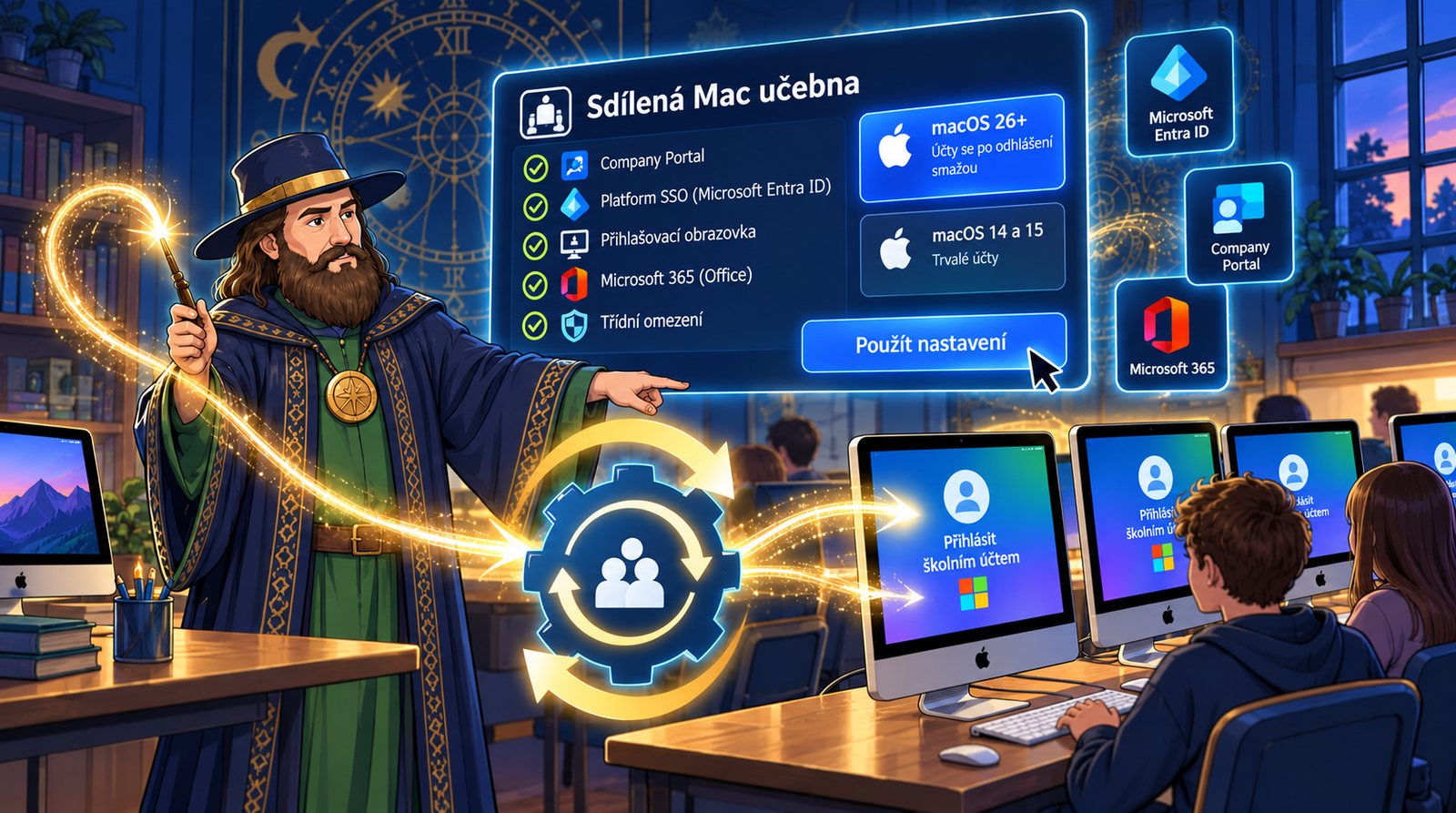
Shared Mac classroom: set up sign-in with a school Microsoft account from a single card
New in Hanus.ai: the Shared Mac Classroom card sets up Company Portal, Platform SSO with Microsoft Entra ID, the login screen, Office and classroom restrictions all at once. A new Mac from Apple School Manager can register as early as Setup Assistant (macOS 26). A comparison with the manual procedure from public guides.
 MDM basics
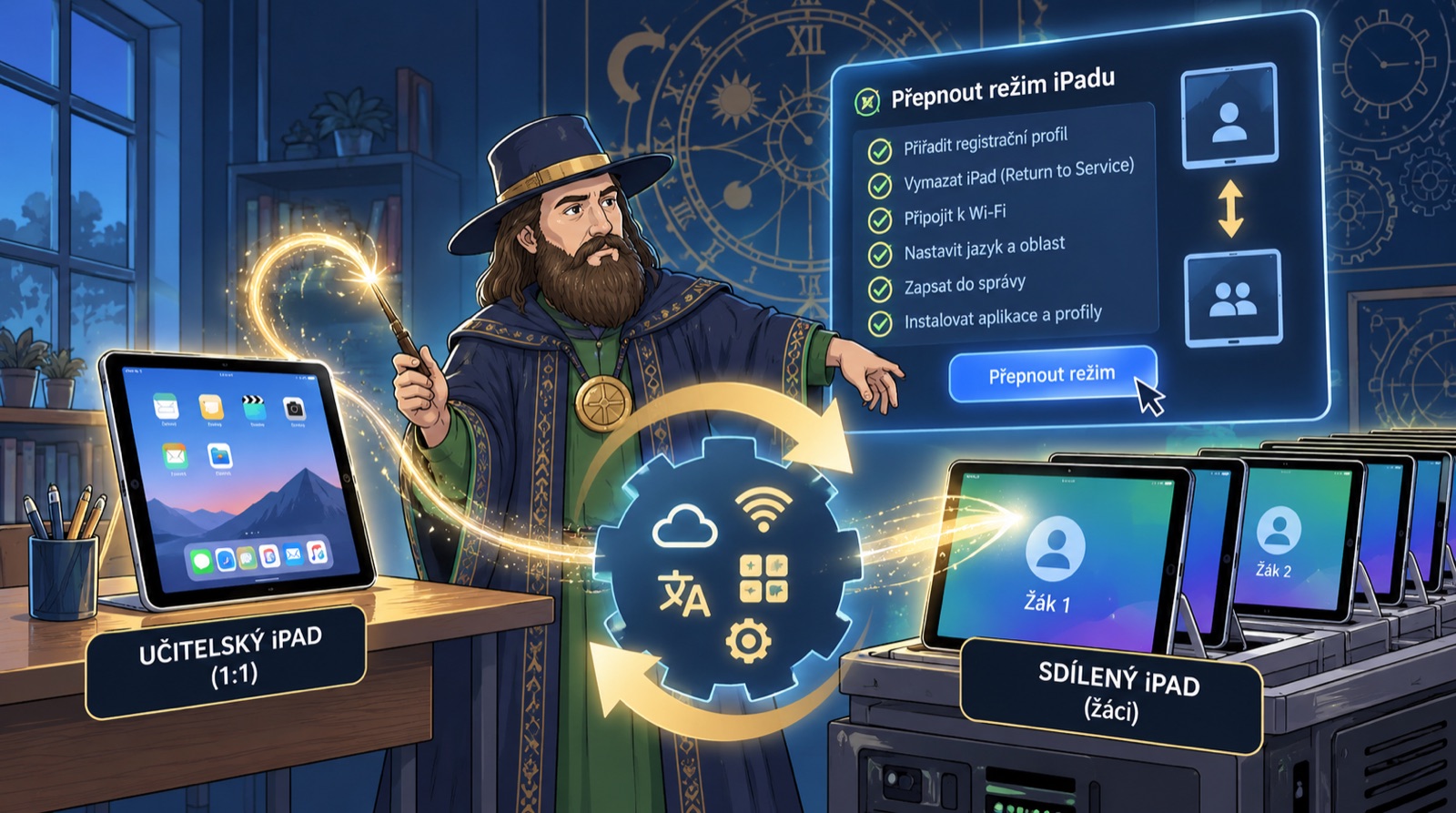
From teacher iPad to shared pupil iPad in one click: switching modes without manual work
Hanus.ai switches an iPad from single-user mode (1:1) to Shared iPad and back with one action in the console. The iPad erases itself, connects to Wi-Fi, sets the language, enrols back into management and receives its group’s apps. No walking round to the iPads, even for hundreds of devices at once.
 MDM basics
Apple Classroom in school: how a teacher runs a lesson with iPads
Apple Classroom in practice: live viewing of the whole class’s screens, locking pupils into one app during a test, what works only in the classroom and what also works remotely, who decides on pupil privacy and how the connection to Apple School Manager works through Hanus.ai.