
 School device management
Apple School Manager: free apps now have unlimited licences and purchasing has a new look
On 22 October 2026 Apple changed how apps are acquired in Apple School Manager: Apps and Books has been replaced by App Store, Books, Custom Apps and Library. Free apps are simply added to the library and have unlimited licences, paid apps are bought as before. What this means for MDM and how Hanus.ai displays it.
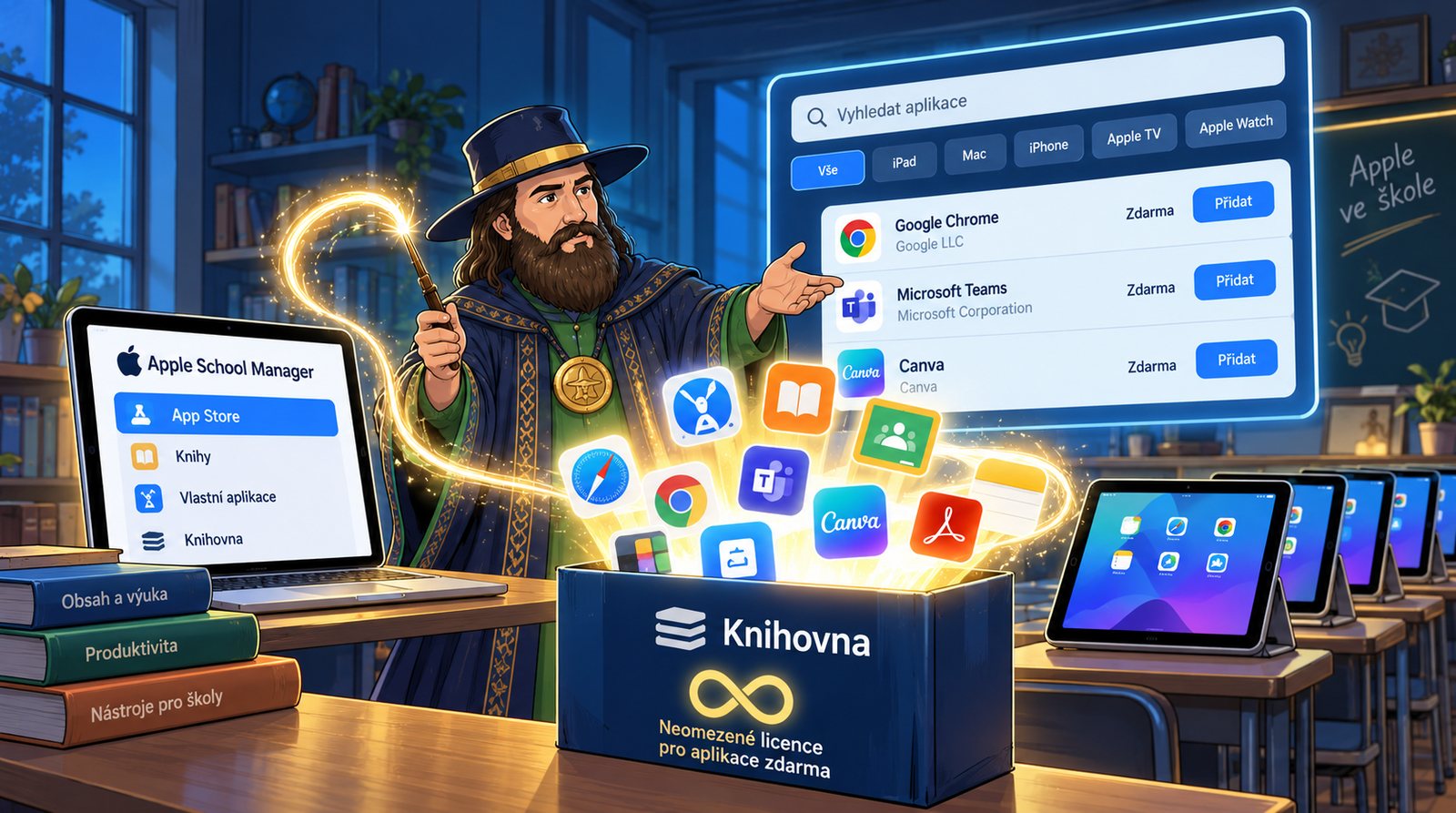
On 22 October 2026 Apple updated Apple School Manager: app purchasing has a new look, and free apps are no longer acquired in a set number of licences. You simply add them to the library and they automatically have unlimited licences. Nothing changes for paid apps, and Hanus.ai already works with the new data, so in the Licences column you will see Assigned N with Unlimited below it.
The change affects every school that uses Apple School Manager (ASM) and MDM for school device management: managing both iPads and Macs relies on app licences from ASM. Below you will find what has changed, how to add an app now, what it means for device management in MDM and how Hanus.ai handles it.
At a glance
- New look: instead of a single Apps and Books item, the Apple School Manager (ASM) sidebar now has four: App Store, Books, Custom Apps and Library.
- Free apps: search for the app, click Add, choose locations and confirm with Add to Library. You do not enter a number of licences; Apple records them as unlimited.
- Paid apps: no change. You enter the number of licences, pay, and assign licences until they run out.
- Older free apps: may still have a fixed number of licences for a location. MDM then tracks them in the same way as paid apps.
- What the school needs to do: nothing significant. No new VPP token is needed; just sync the catalogue in the MDM console.
- Hanus.ai: already updated. It displays Assigned N / Unlimited, and the assistant Hanuš does not count available licences for unlimited apps.
What has changed in Apple School Manager?
Anyone who has signed in to school.apple.com in recent days will have noticed the new menu. The section where the ICT coordinator acquires apps and books for school iPads and Macs has been split into separate items: App Store for apps from the store, Books, Custom Apps (apps developed specifically for your organisation) and Library, where you manage the apps and licences the school already has.
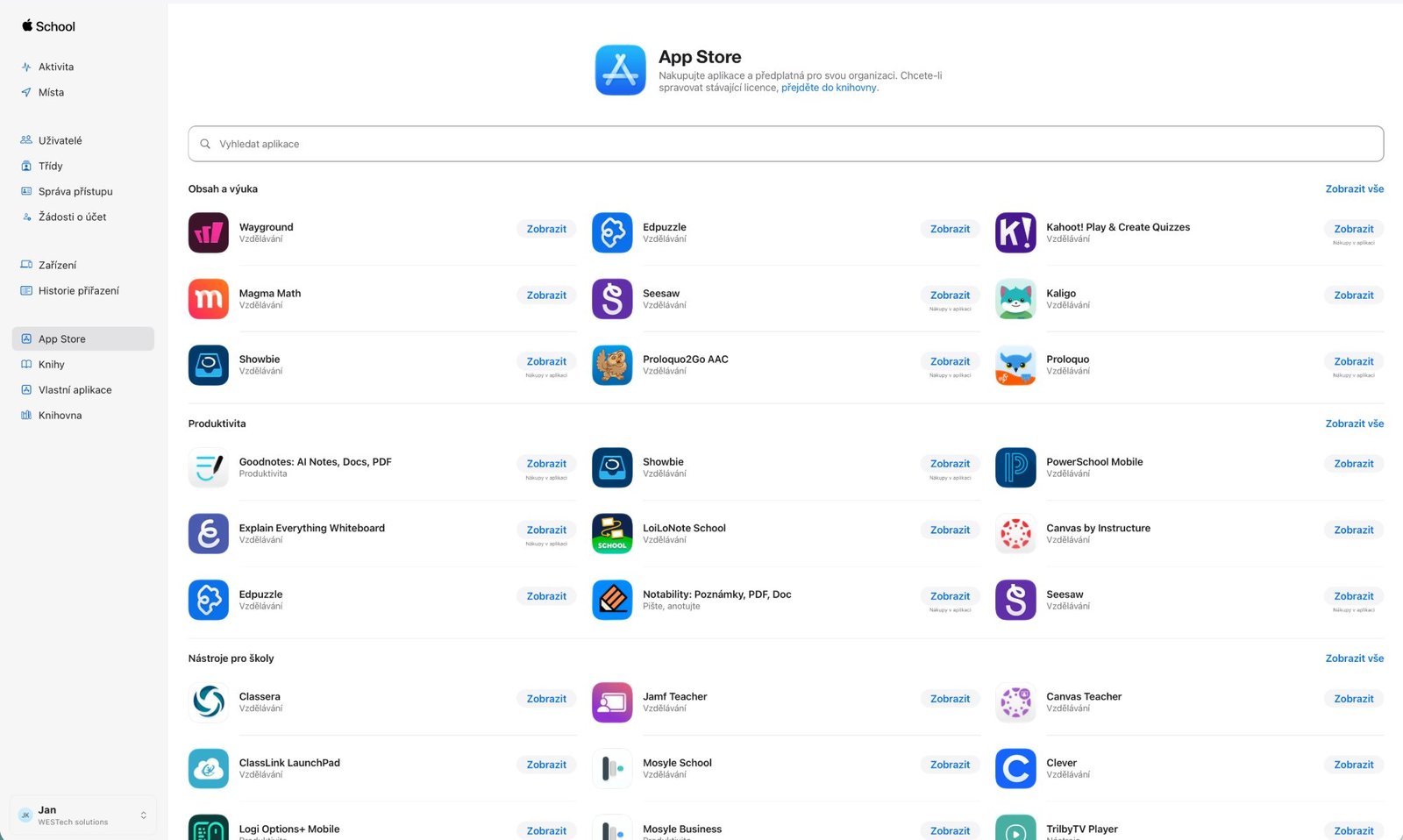
The App Store section resembles the store you know from the iPad. The home page shows categories (Content and Learning, Productivity, Tools for Schools) with search at the top. Results can be filtered by device: iPhone, iPad, Mac, Apple Vision Pro, Apple TV and Apple Watch. This is handy when you are looking for an app only for the Macs in a computer lab.
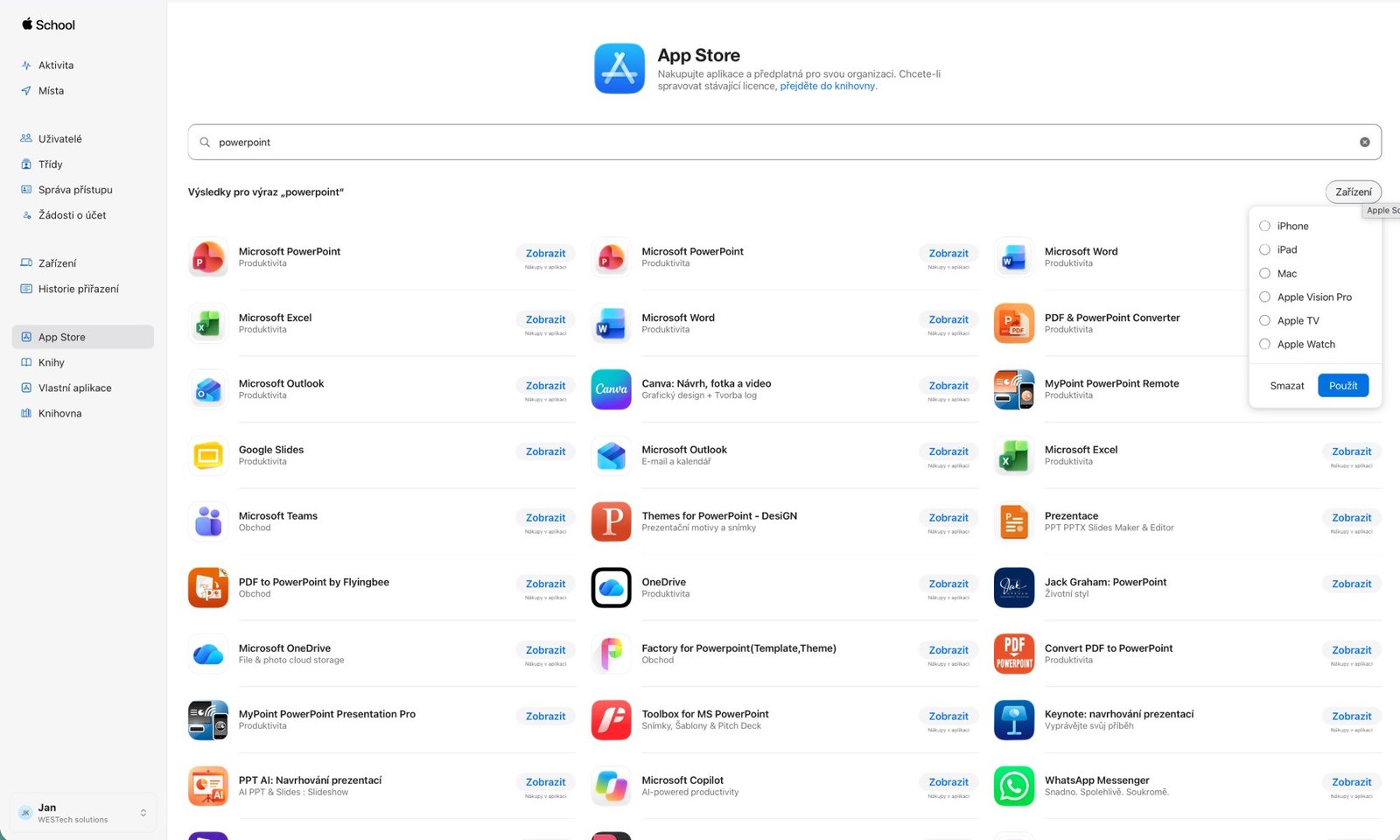
At the same time, Apple added app subscriptions to the same section: the school can acquire them and assign them to users if its MDM supports this. That is a separate topic, though; this article is about app licences.
How do free app licences work from 22 October 2026?
Free apps are no longer bought in a number of units in ASM. Apple’s user guide says that for free apps from the App Store you can get as many licences as you need, without entering a specific number. You add the app to the library and assign it to the school’s locations. From then on, MDM can assign it to any number of iPads, Macs or users.
The documentation for MDM developers explains what this looks like in the data. Free apps and books have unlimited assignment by default. Unless the MDM requests the new response format, Apple sends a total licence count of 2147483647 for them, which is the largest whole number the field can hold. That is exactly why older systems may show an absurdly high number for a free app instead of the word “unlimited”.
In practice this means three things for a school:
- For a free app, you no longer have to estimate how many iPads will need it, or buy more licences when a new class is added.
- When installing on a new device, a free app will never be left waiting for a licence.
- You still have to add the app to the library in ASM first. Without that, MDM cannot see it and cannot distribute it.
One practical note from the guide: even for free apps, the school must have a payment method selected in ASM. It does not have to be a payment card, though: for free apps an option without a card is enough.
How to add a free app in the new Apple School Manager
- Sign in to school.apple.com with an account that has permission to acquire apps and books.
- In the sidebar, click App Store.
- Type the app name into the search. You can narrow the results with the Device filter, for example to iPad or Mac only.
- Click View next to the right app and in the detail check the developer, age rating and supported platforms.
- Click Add.
- On the Add to Library screen, choose the locations you want to give access to the app and click Review.
- In the confirmation window, check the app name and locations and click Add to Library.
- In the MDM console, run a catalogue sync (in Hanus.ai the Sync now button) and assign the app to a device group.
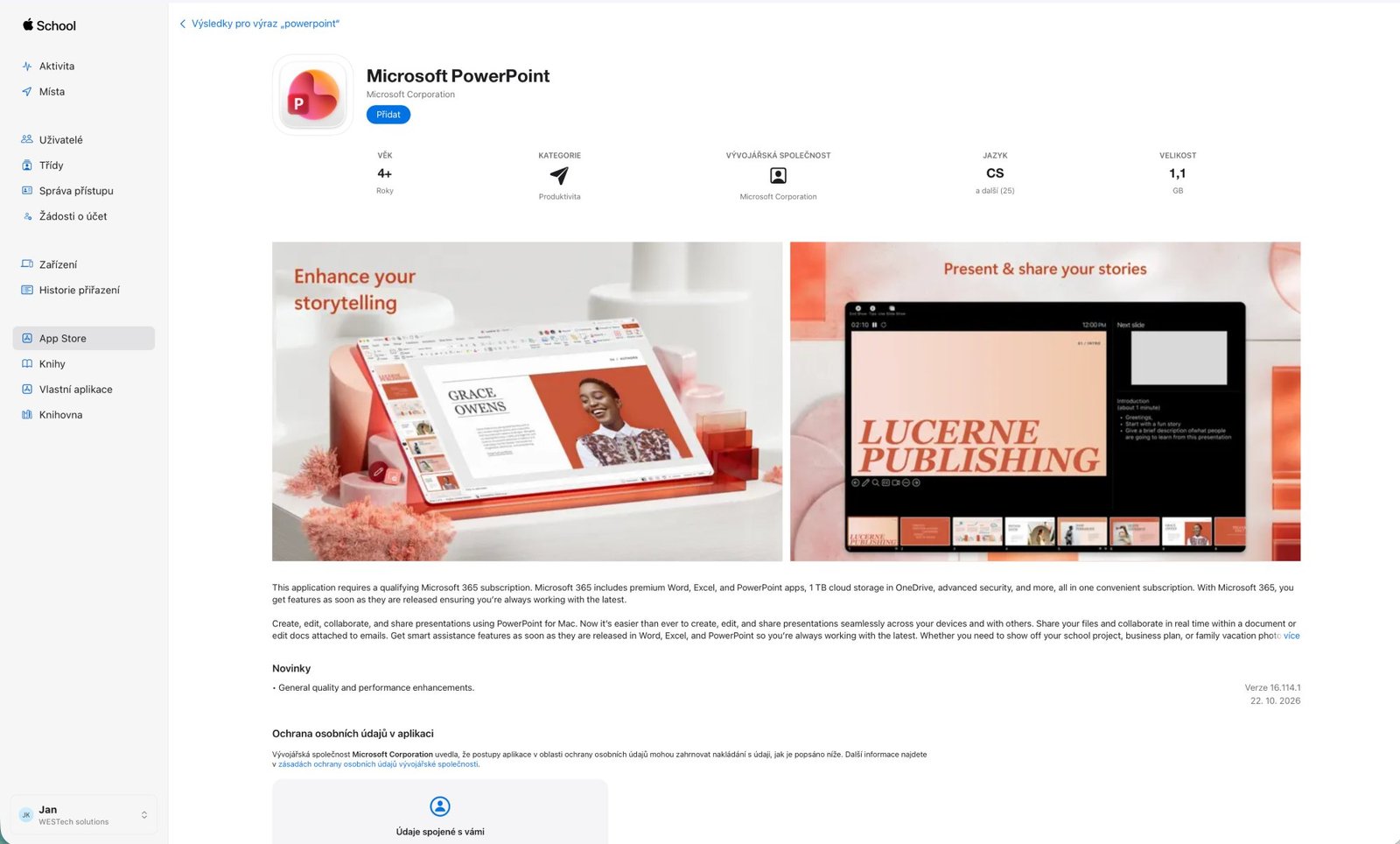
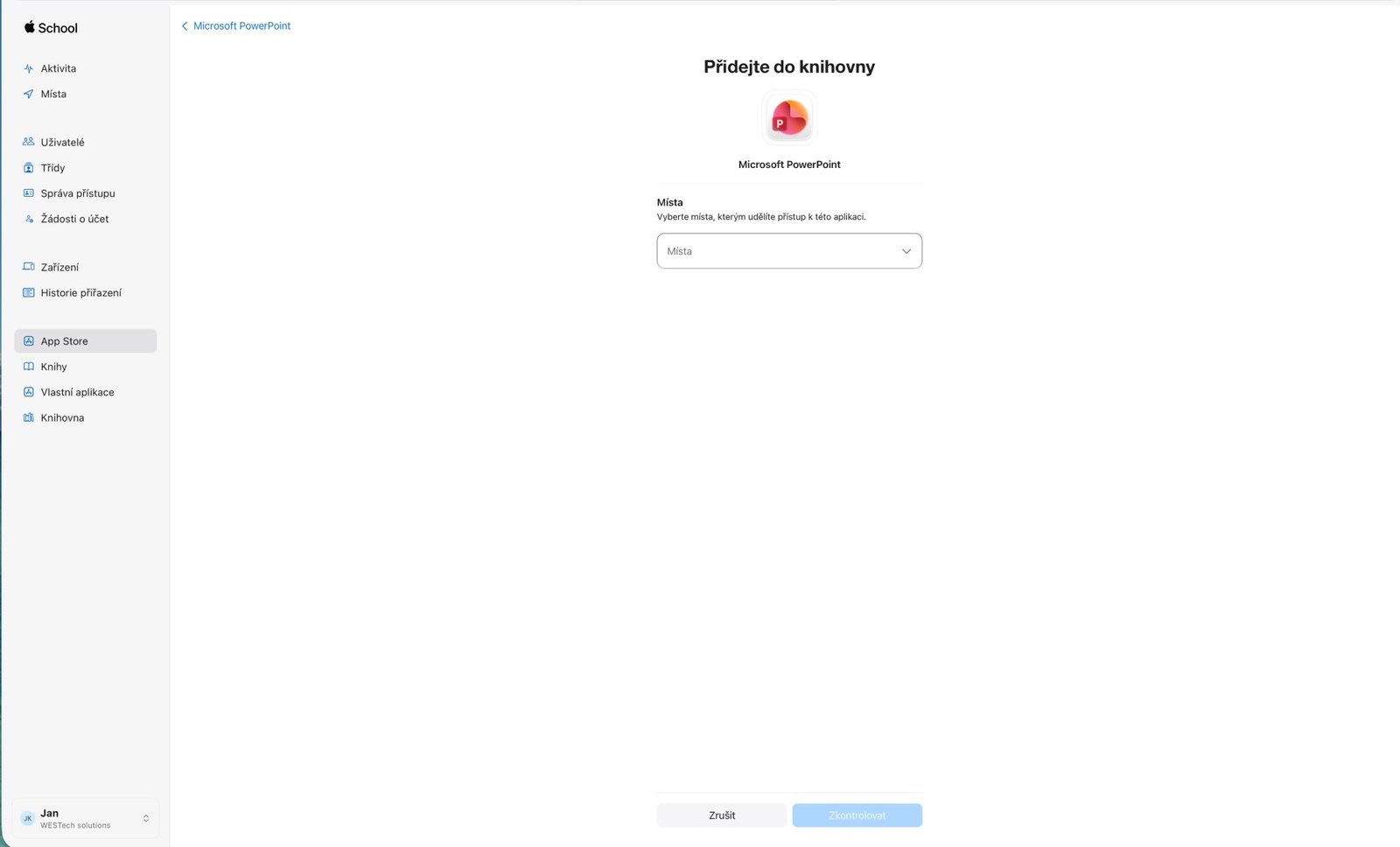
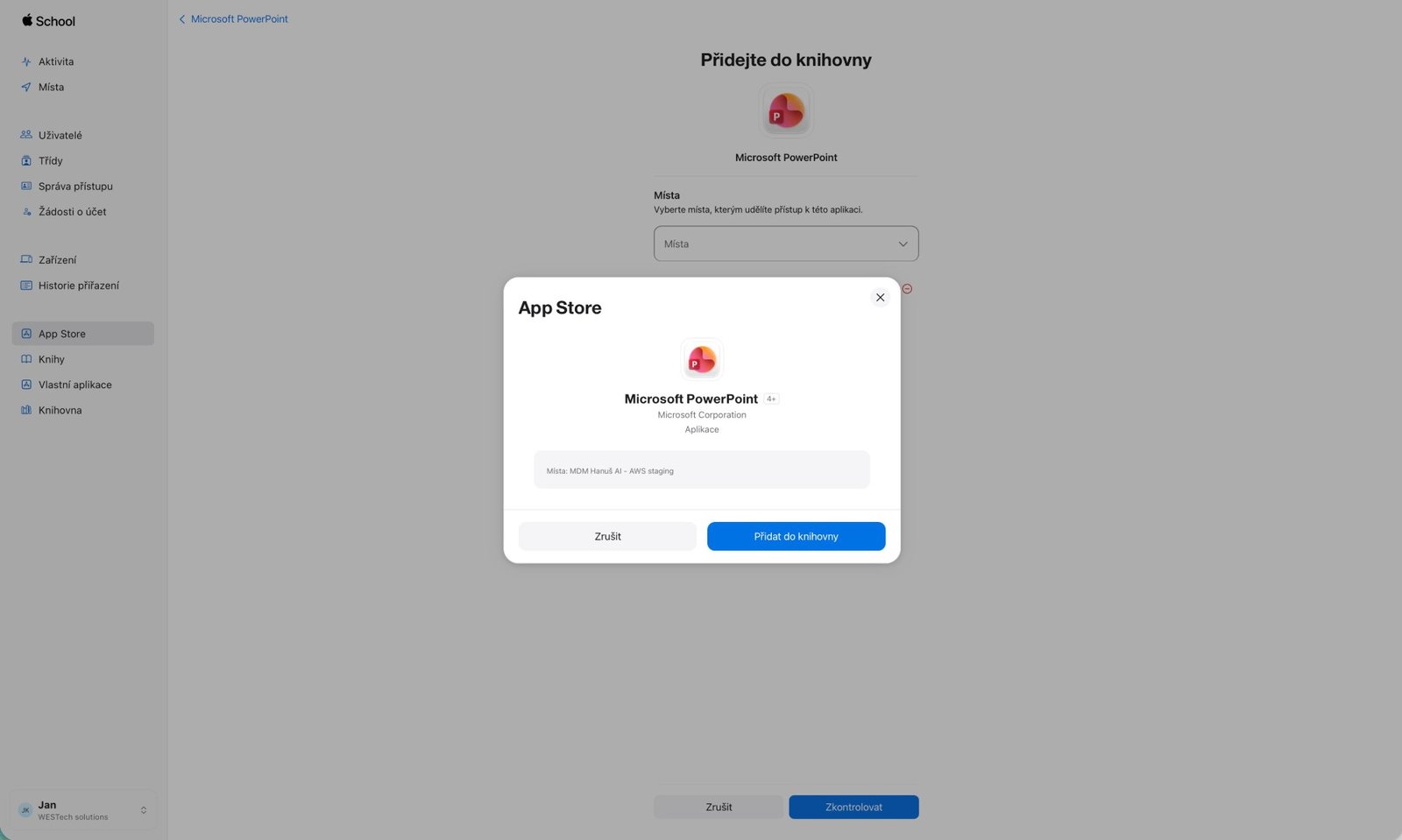
Note the last screenshot: there is no field for the number of licences anywhere in the process. Previously you would enter, say, 300 units even for a free app; now ASM does not ask for a number at all.
A free app acquired after 22 October 2026 can be removed from a location’s library again, as long as it is not assigned to any device or user. How to uninstall an app from a device is described in the guide How to uninstall an app.
How to buy a paid app
For paid apps the process stays the same, you just start in the new App Store section:
- Sign in to school.apple.com with an account that has purchasing permission.
- In the sidebar, click App Store and search for the app.
- Open the app detail and click Add.
- Choose the location you are buying licences for.
- Enter the number of licences, change the payment method if needed, and complete the purchase.
- Apple processes up to 5,000 licences immediately, larger orders once a day.
- In MDM, sync the catalogue and assign the app.
Educational institutions are entitled to a discounted price when buying 20 or more licences of a single app, if the developer offers one. You can buy additional licences for a purchased app in Library. A detailed process with the school budget in mind is in the guide How to buy an app for your school.
Before vs. now
| Before | Now (from 22 October 2026) | |
|---|---|---|
| Menu in ASM | Apps and Books | App Store, Books, Custom Apps, Library |
| Free app | “purchase” for €0, a number of licences was entered | added to the library, no number entered |
| Free app licences | fixed number per location | unlimited |
| Paid app | enter a number, pay | no change |
| Paid app licences | fixed number, more can be bought | no change |
| When licences run out | the app waits for a licence | does not happen with unlimited ones, no change for paid ones |
| VPP token | required | required, the existing one remains valid |
What happens to free apps the school acquired earlier?
A little caution is needed here. In its documentation for MDM developers, Apple states that free apps have unlimited assignment by default, but organisations may choose to keep using their existing fixed licence count for individual locations. We have seen this in production too: after the change, one school had 122 free apps with unlimited licences and 67 free apps that still carried their original fixed count for the location.
The ASM guide also warns that if you remove a free app acquired before 22 October 2026 from a location, the licence count stays fixed at the previously acquired quantity rather than becoming unlimited.
This gives you a simple rule: for an older free app, check in MDM. If you see Unlimited, there is nothing to do. If you see a fixed number, treat the app as before and keep an eye on available licences.
What this means for iPad and Mac management in MDM (school device management)
MDM (device management) loads licences from ASM via the VPP token, now called the content token in ASM. That does not change. The only change is which numbers Apple sends for free apps. For school device management this has several consequences:
- Bulk installation is simpler. You can assign a free app to a whole group of iPads without checking available licences. The process is in the guide How to install an app on all iPads.
- Macs in the computer lab work the same way. Licences from ASM apply to both iPads and Macs that support the app. See How to manage a Mac at school.
- Licences are still assigned and returned. Even an unlimited licence is assigned to a specific device or user and returned after uninstallation. So it still makes sense to monitor the number of assigned licences.
- Books: the MDM documentation mentions unlimited assignment for both free apps and books. Books, however, are still assigned only to users and the assignment cannot be revoked. See How to distribute books to students.
- An older MDM may display nonsense. If the device management system does not understand the new values, it may show over two billion licences for a free app.
How Hanus.ai handles it
Hanus.ai already has the updates for the new licences and works with the data Apple has been sending since 22 October 2026. Nothing needs to be reconfigured on the school’s side.
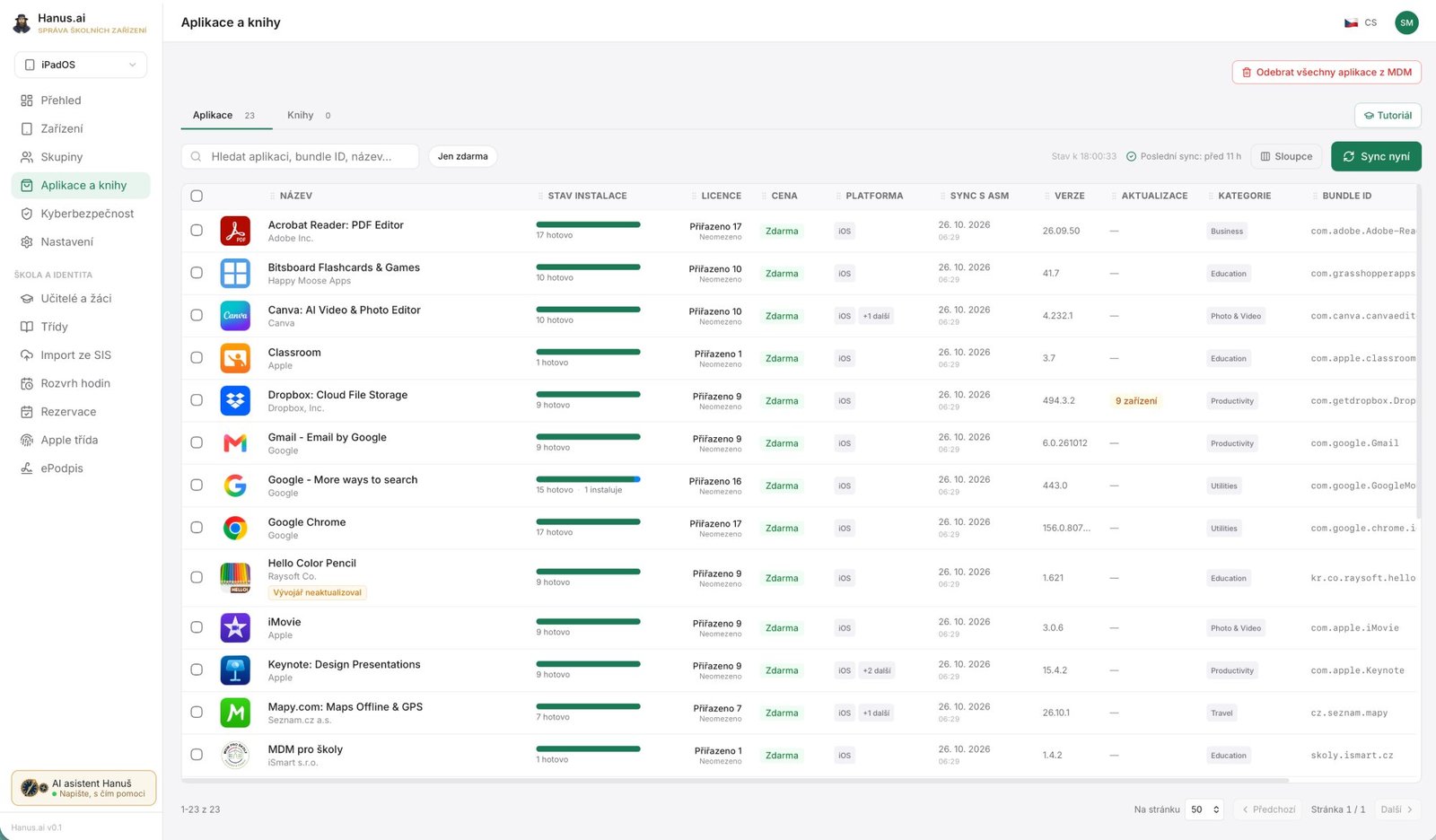
What you will see in the console:
- Apps and Books table: in the Licences column, the first line shows Assigned N and the second, in grey, Unlimited. For apps with a fixed count, the second line shows of T, available A, with a coloured warning when licences are running low.
- Assign app dialog: for an unlimited app it shows Licences: Unlimited, assigned N, and after selecting groups you will see how many licences will be assigned after the assignment.
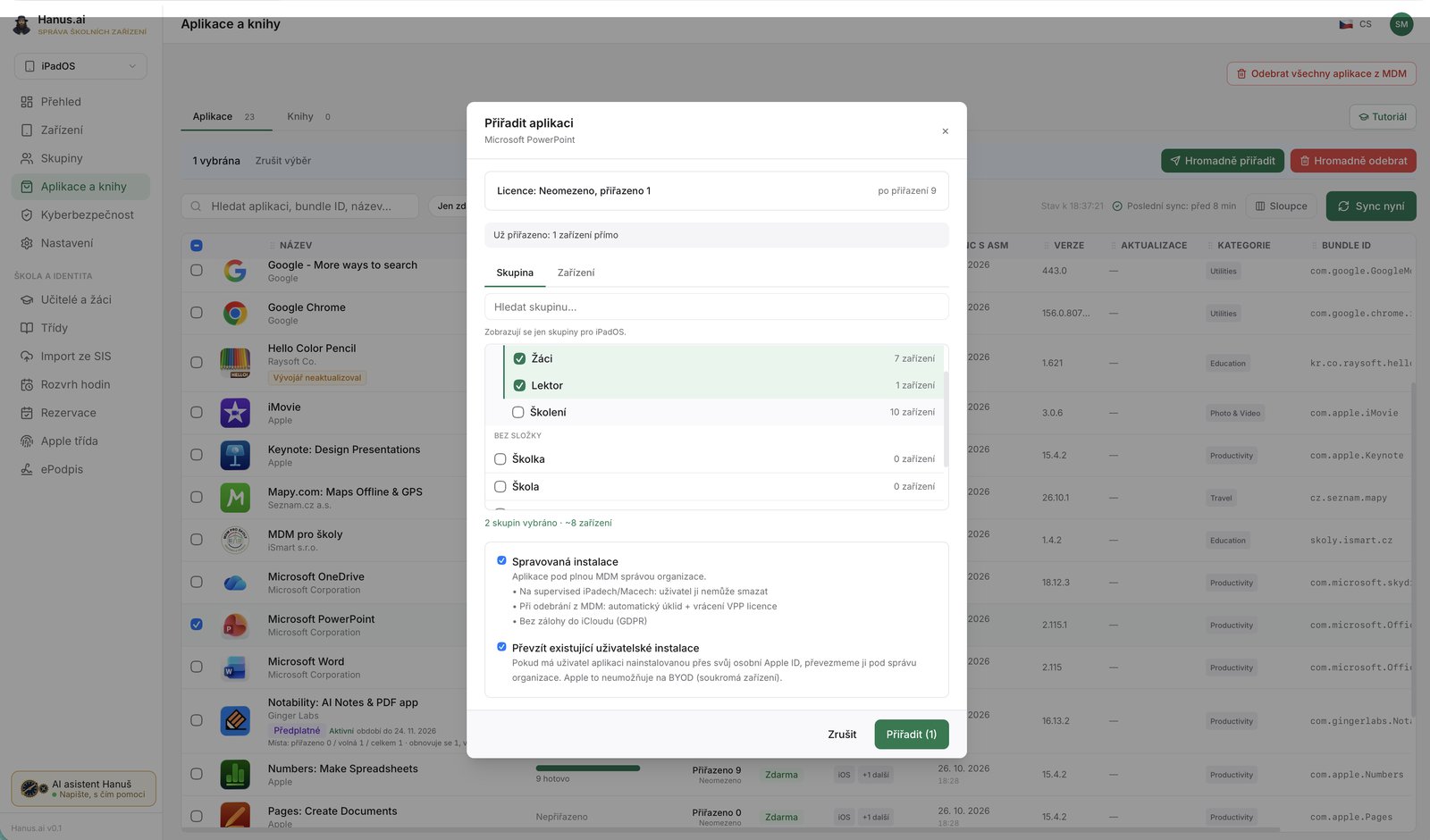
Assigning a free app to iPad groups. The licences are unlimited, so Hanus.ai only shows how many will be used after the assignment, and you do not need to buy anything.
- App and book detail: the Licences card shows N / Unlimited, where N is the actual number of assigned licences.
- When licences run out: for a paid app, or a free app with a fixed count, the installation waits and the console says Get more licences in Apple School Manager. As soon as licences are added and a sync runs, Hanus.ai completes the pending installations on its own.
- The Free only filter still works and the Price column shows Free. An app with a subscription shows a Subscription label instead of a price.
The assistant Hanuš receives the same data. For an unlimited app, its assignment proposal states “licences: unlimited, assigned N” and does not give a number of available licences, because that makes no sense for an unlimited app. In the catalogue summary it does not add unlimited apps to paid ones, so it will not tell you that you have billions of available licences. Asked “Do I need to buy more licences for a free app?”, it will answer that you do not.
Frequently asked questions
Do I have to enter a number of licences for a free app in Apple School Manager?
No. From 22 October 2026 you simply add a free app to the library and choose locations; no licence count is entered and the licences are unlimited.
How do I add an app in Apple School Manager?
In the menu, click App Store, search for the app, click Add, choose locations, click Review and confirm with Add to Library. For a paid app you also enter the number of licences and pay.
Where is the Apps and Books section in ASM?
It has been replaced by the separate items App Store, Books, Custom Apps and Library. Licences the school already has are in Library.
Does anything change for paid apps?
No. You still buy paid apps in a specific number of licences, and when they run out you buy more in Library.
Do I need a new VPP token because of the new licences?
No. The existing content token (VPP token) remains valid and MDM uses it to load unlimited licences too. More about the token in the article What is a VPP token.
Why does a free app have 2147483647 licences in MDM?
This is how Apple marks unlimited licences: it sends the largest possible whole number. An MDM that does not know about the change displays it literally; Hanus.ai shows Unlimited instead.
Why does a free app still have a fixed number of licences?
Most likely it is an app the school acquired before 22 October 2026, and the location has kept its original count. Monitor its available licences just as you would for a paid app.
Do unlimited licences apply to Macs too?
Yes. Licences from ASM do not distinguish between iPad and Mac; what matters is which platforms the app supports.
Do I need a payment card in ASM for free apps?
You must have a payment method selected, but not a payment card. Apple requires a selected payment method before you acquire any licences, even free ones. For free apps, though, a method without a card is enough; you only need a card to buy paid apps.
Related
- App subscriptions in Apple School Manager: how to assign them to teachers and students
- Apple School Manager from A to Z
- How to buy an app for your school
- How to install an app on all iPads
- What is a VPP token
- How to uninstall an app
- How to distribute books to students
- iPad management
- How to manage a Mac at school
Sources
- Apple School Manager User Guide: Get apps and books in Apple School Manager (process for free and paid apps, removal from the library, note on apps acquired before 22 October 2026, payment method; published 22 October 2026)
- Apple School Manager User Guide: Intro to app and book licenses (free apps without entering a quantity, discounted price from 20 licences, subscriptions; published 22 October 2026)
- Apple School Manager User Guide: Release notes (22 October 2026: app subscriptions in Apps and Books)
- Apple Developer: Managing assets (unlimited assignment of free apps and books, totalCount value 2147483647, existing fixed count per location)
- Hanus.ai information: Hanus.ai console and internal documentation as of 26 October 2026 (including verification in production on 23 October 2026).
You might also like
 Apple School Manager
App subscriptions in Apple School Manager: the school buys them and Hanus.ai assigns them to teachers and students
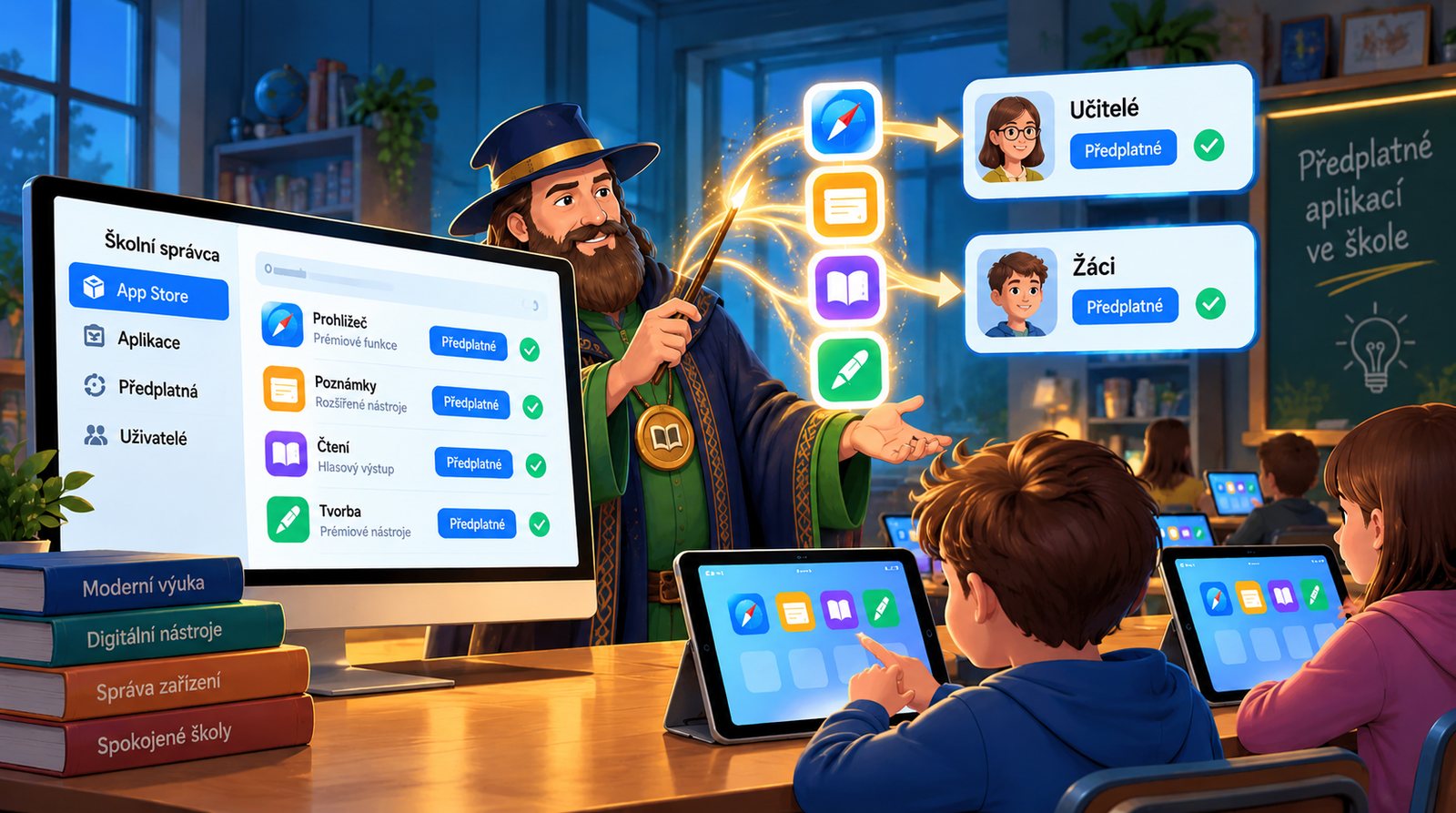
Since 22 October 2026, schools can buy app subscriptions directly in Apple School Manager. Hanus.ai assigns them to a user with a Managed Apple Account, to a teacher on their iPad and to a student on a Shared iPad. How it works, how many seats you need, what subscriptions cannot do and how to remove and reassign them.
 Apple School Manager
Apple Classroom not working for some students? The fault is usually in Managed Apple Accounts
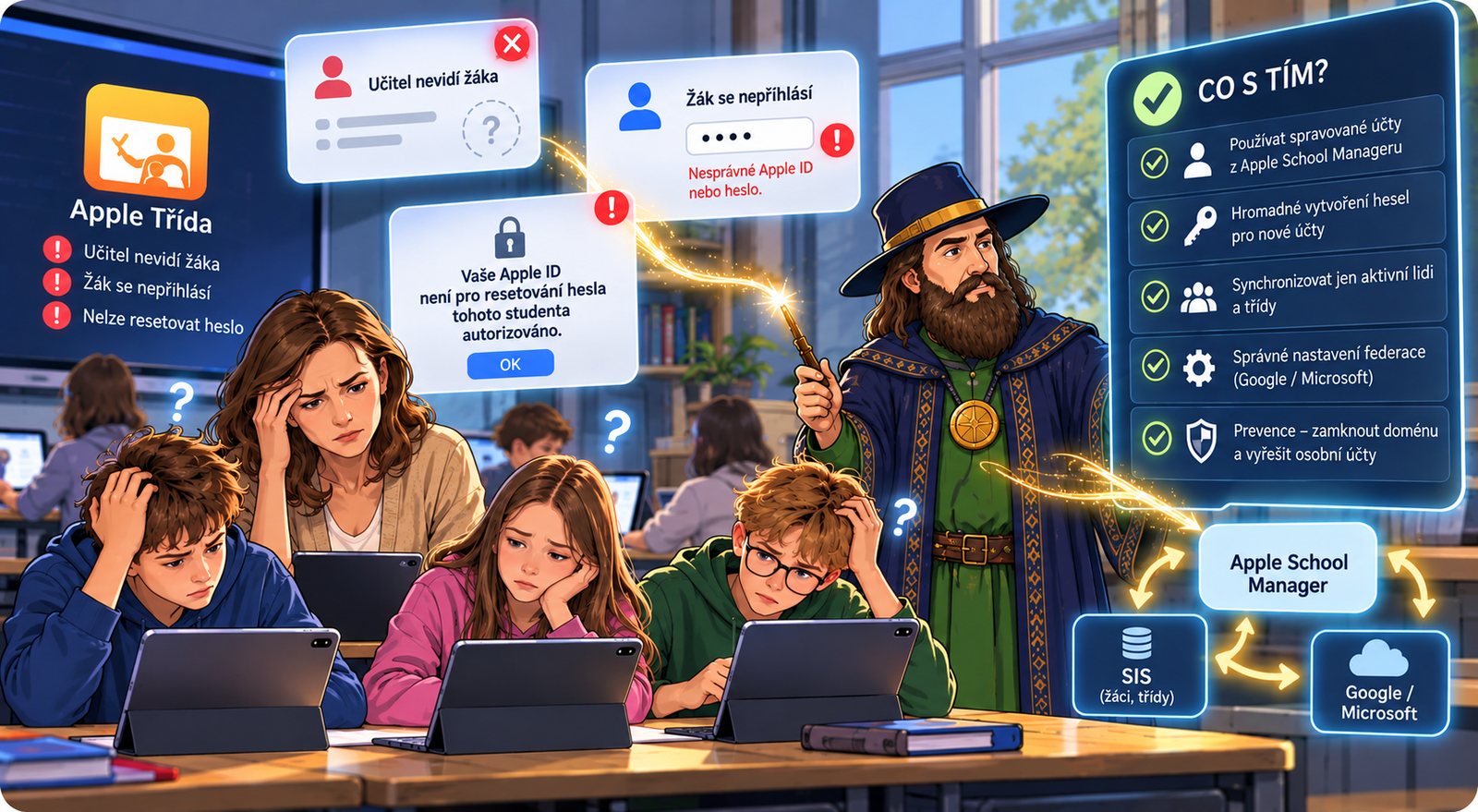
A guide for ICT coordinators and MDM administrators: why a teacher cannot see a student in Apple Classroom, why a student cannot sign in to a Shared iPad and why a password reset ends with an authorisation error. Four causes in Managed Apple Accounts, how to diagnose them in Apple School Manager, how to fix them and how to prevent them.
 Apple School Manager
 from A to Z: a guide for Czech schools (2026)
What Apple School Manager is, how a school signs up, how to get iPads and Macs into it, how student Managed Apple Accounts are created from EduPage or Bakaláři, how to buy apps and what schools most often run into. Checked against Apple’s documentation as of October 2026.