
 School device management
School Connectivity Standard and Shared iPads: who, when, on which iPad and from which IP address
The School Connectivity Standard (Czech Ministry of Education, IROP) prohibits shared and anonymous accounts and requires user traceability on the network. On Shared iPads, the Guest session is often the weak spot. How Hanus.ai turns off the Guest session and, as the only MDM, keeps a 90-day sign-in history: time, student account, iPad with serial number, Wi-Fi MAC and public IP, with export to CSV and Excel and an audit of every query.
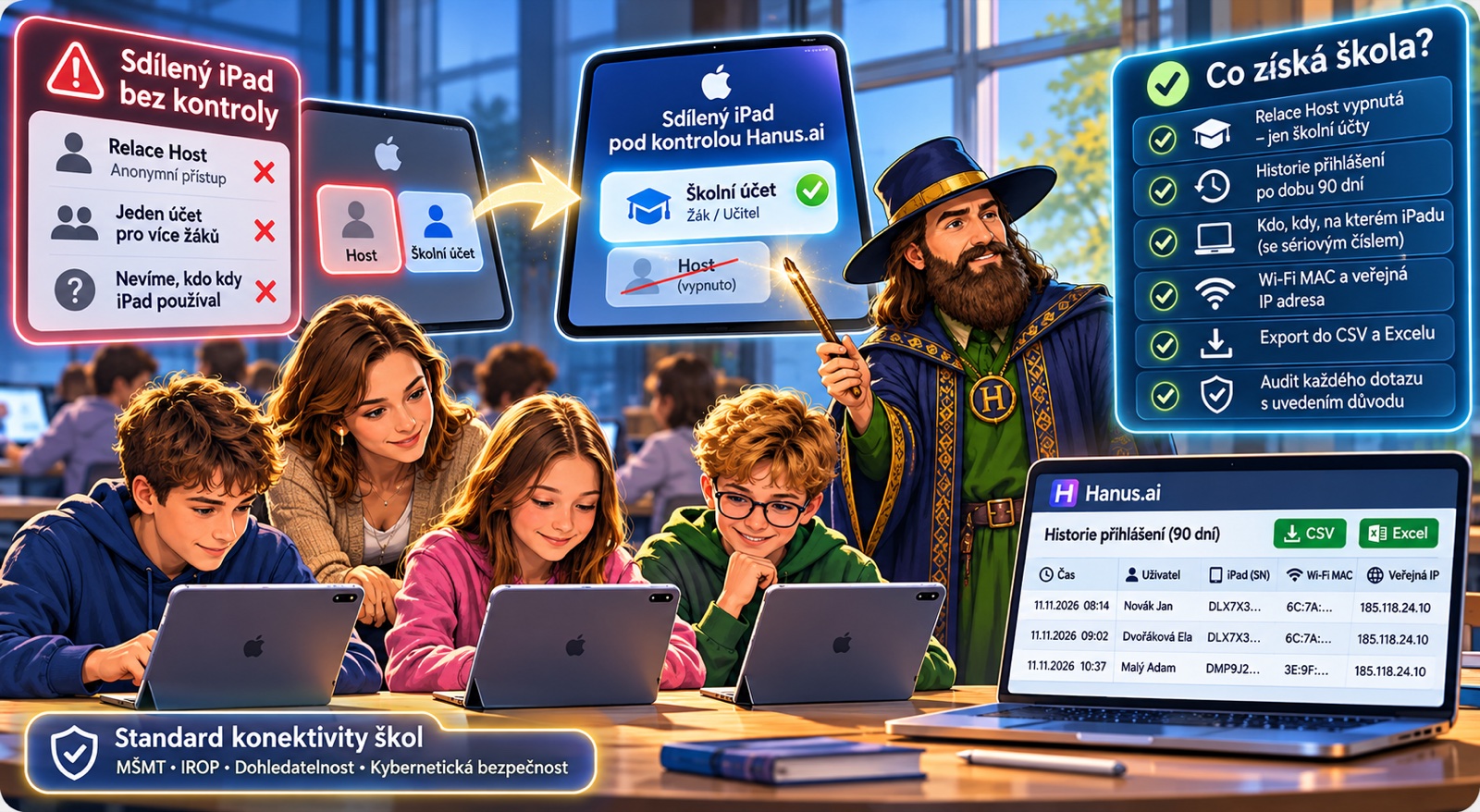
The School Connectivity Standard (Czech Ministry of Education) is clear: “The use of one account by multiple users is not permitted.” At the same time, a school must be able to trace who was on its network, when, and from which device. On computers, this is handled by signing in to the operating system. On Shared iPads it often remains a gap: the iPad moves between classes and afterwards nobody knows who was holding it at a given moment.
In this article we explain what exactly the standard requires, why Shared iPads are a weak spot and how we solve it in Hanus.ai. Hanus.ai is the only MDM that keeps a sign-in history on Shared iPads: who, when, on which iPad and from which IP address.
In a nutshell
- What the standard wants: every user has their own account, no shared or anonymous accounts, and the network can trace the link between IP address, time and device. IROP (Integrated Regional Operational Programme, an EU-funded Czech grant programme) connectivity projects are assessed against the standard.
- Where the gap is: besides the school account, a Shared iPad also offers a Guest session. It is convenient, but anonymous.
- What Hanus.ai does: it turns off the Guest session on Shared iPads, so only a student or teacher with their own school account can get onto the iPad.
- Sign-in history: every sign-in is recorded in the Cybersecurity section: time, name and account, iPad with serial number, Wi-Fi MAC and public IP address. Records are kept for 90 days and can be downloaded to CSV or Excel.
- Privacy protection: only the school’s Super admin can see the history, and every search requires a reason, which is saved to the audit log.
- Cyberbullying prevention: automatic sign-out at the end of every lesson, sign-out after inactivity and a web content filter, so a student does not find someone else’s account signed in on the iPad.
What the School Connectivity Standard requires
The School Connectivity Standard was issued by the Czech Ministry of Education (MŠMT) in 2022 (ref. no. MSMT-16039/2022-2). It is intended for the leadership and founders (local authorities) of primary schools, secondary schools, tertiary professional schools and conservatoires. The specific rules of the IROP 2021 to 2027 calls refer to it, and school projects dealing with connectivity are assessed against it. The parameters must be met not only when the project is completed but also throughout its sustainability period.
For user traceability, these mandatory parameters are essential:
| Section of the standard | What it says | What it means for iPads |
|---|---|---|
| 2.2.1 User management system | A central identity database used to authenticate students and teachers for secure and auditable access. The use of one account by multiple users is not permitted (so-called anonymous accounts). | On a Shared iPad, everyone should sign in with their own school account, not with an anonymous session. |
| 2.2.2 Access logging | Logging of user access to the network that allows tracing the links between IP address, time and computer system. According to the standard, a tablet is also a computer system. | The school needs to know which iPad was on the network, when, and under which address. |
| 1.2.3 NAT logging | Monitoring and logging of NAT traffic so that public traffic can be traced to an internal device, kept for at least 3 months. | It must be possible to get from a public IP address and a time to a specific device. |
The recommended parameters also include traffic logging down to the end-user level (section 2.5.1) and tools for central management and audit of ICT assets (section 3.1.7).
Why Shared iPads are a weak spot
On a school computer, a student signs in to the system with their account and the network knows who is sitting at the computer. A Shared iPad offers two ways to sign in:
- The student’s or teacher’s school account (a Managed Apple Account from the school’s Apple School Manager),
- a Guest session, i.e. a temporary session without a name, whose data is deleted after sign-out.
The Guest session is convenient: the student does not need to know a password and the lesson starts faster. But it is anonymous. Nobody can then find out who was using the iPad at a given moment. And that is exactly the “use of one account by multiple users” that the standard does not permit. Moreover, Apple’s default settings allow the Guest session on Shared iPads, so a school has it turned on even if it does not know it.
The school’s network devices (firewall, Wi-Fi controller) can record which device was on the network and when. With a Shared iPad, however, the network log cannot tell you which student was using it at the time. Without that, traceability ends at the device, not at the person.
How Hanus.ai solves it
1. Turn off the Guest session with one switch
In the Shared iPad settings of a group, select the Account sign-in only mode. Then only a student or teacher with their own school account can get onto the iPad, and the Guest session is not available. It works from iPadOS 13.4. If you want, you can switch it back just as easily.
The Cybersecurity page also has a Guest account on Shared iPads overview. For each group, it shows whether the Guest session is allowed there, and it flags risky groups with a recommendation and a link straight to the settings. It also treats as risky those groups where nobody has configured Shared iPad, because Apple’s default allows the Guest session.
2. Every sign-in is recorded in the history
The Cybersecurity → Sign-ins on Shared iPads page holds a retrospective record of every sign-in:
- time in the school’s time zone,
- Apple ID and first name and surname of the student or teacher,
- iPad with its name and serial number,
- the iPad’s Wi-Fi MAC address,
- the public IP address under which the school appeared on the internet at that moment,
- the group the iPad was in.
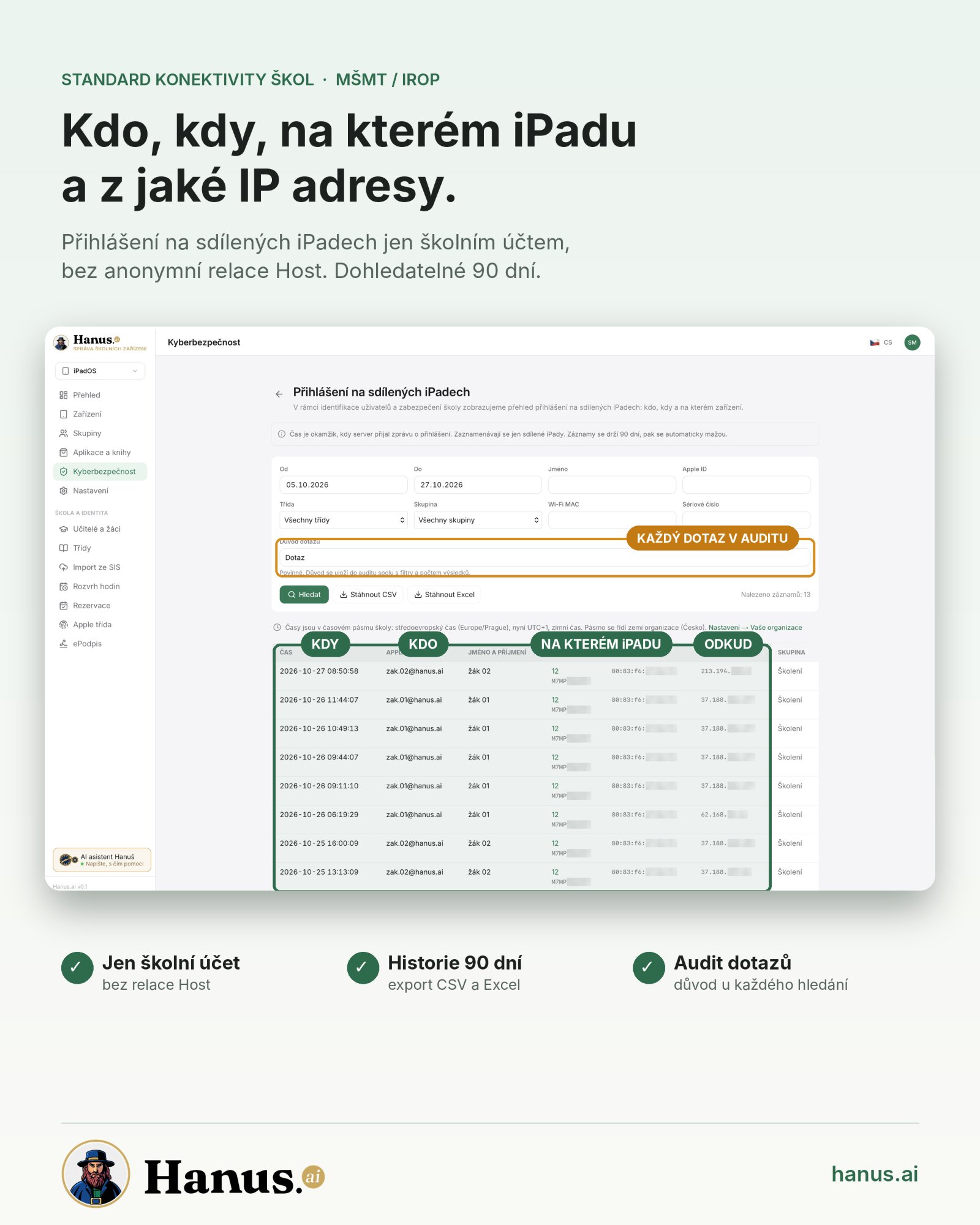
You can search by date, name, Apple ID, class, group, Wi-Fi MAC and serial number. Records are kept for 90 days, i.e. for the period the standard requires for NAT logging, and are then deleted automatically. You can download the results to CSV or Excel as supporting material for an inspection or for an incident investigation.
The Wi-Fi MAC and public IP are what connect the history in Hanus.ai with the school network logs. From the firewall log you know which device was on the network and when. From Hanus.ai you know who was signed in on that iPad. Together, the school can trace the whole chain: public IP, time, iPad and a specific person.
3. Searching the history is under control
Sign-in histories are students’ personal data, so we handle them with care:
- Only the school’s Super admin can see the Cybersecurity page. Neither a regular admin nor Hanus.ai support can see it.
- Before every search, a Reason for query is mandatory, for example “incident investigation at the head teacher’s request”. The reason is saved to the audit log together with the filters and the number of results. Without an entry in the audit log, neither the search nor the export is performed.
- The Super admin can turn off the record keeping at any time in Settings → Your organisation.
So the school always knows not only who was on the iPad, but also who searched the history, when and why.
Why it matters so much: cyberbullying
Unfortunately, cyberbullying among students is on the rise, and Shared iPads offer an easy opportunity for it. A typical scenario on a Shared iPad: at the end of a lesson, a student does not sign out of a social network. The next student then takes over the account and misuses it: writes in their name, sends photos, ridicules them.
When the session is anonymous, the school has no chance of finding out who was behind it. With personal sign-in, each student has their data and signed-in apps in their own account, so the next student on the same iPad cannot get to them. And if something happens anyway, the school knows who was holding the iPad at that moment. School security is therefore not just paperwork for an IROP inspection, but real protection for children.
Cybersecurity and cyberbullying prevention on Shared iPads
The sign-in history helps when something happens. It is even better when it does not happen at all. Most misuse on a Shared iPad starts the same way: the previous student forgot to sign out. That is why you can also set the following in a Shared iPad group in Hanus.ai:
| Setting in Hanus.ai | What it does | What it protects against |
|---|---|---|
| Account sign-in only | Turns off the Guest session; only a student or teacher with a school account can get onto the iPad. | Anonymous use that cannot be traced. |
| Sign-out by lesson timetable | On school days, students are signed out automatically at the end of every lesson, 3 minutes after the bell. An end-of-day safeguard (default 16:30) signs iPads out even during afternoon teaching outside the timetable. | The next student finding a classmate still signed in on the iPad. |
| Sign-out after inactivity | Signs the student out when nobody has used the iPad for a while. | An iPad left on a desk with an open account. |
| Screen sleep (iPadOS 17 and later) | Puts the screen to sleep after 2 to 15 minutes of inactivity; the default is 5 minutes. Does not sign the student out. | The open screen of an unattended iPad in full view of others. |
| Web content filter | Automatically limits adult websites in Safari, can always block selected websites (for example social networks) or allow only selected websites. | Inappropriate content and social networks during lessons. |
The automatic filter reliably blocks websites with adult content. Other categories, such as gambling or specific social networks, need to be added manually to the Always block list.
If cyberbullying happens anyway
- Secure the evidence: screenshots of the messages or posts, the time and the name of the account they came from.
- Trace who was on the iPad: in Hanus.ai, on the Cybersecurity page, fill in the reason for the query and search by time and the iPad’s serial number, or by Wi-Fi MAC.
- Follow the school’s prevention programme and involve the school prevention coordinator.
- Use professional help: for children, the free and anonymous Linka bezpečí (Czech child helpline) is available on 116 111, and the E-Bezpečí counselling service helps with cyberbullying, sexting or fake profiles. Report blackmail or the sharing of intimate photos to the Police of the Czech Republic (Policie ČR).
Why you will not find this elsewhere
Apple gives MDM the tools to configure a Shared iPad, but it does not keep a sign-in history. That is why no ordinary MDM shows it to the school. In Hanus.ai we build it ourselves from the messages a Shared iPad sends when someone signs in, add names from the list of teachers and students and store it in the school’s time zone. That is why Hanus.ai is the only MDM in which a school can trace who was signed in, when, on which iPad and from which IP address.
What MDM does and what it does not
To be precise: the School Connectivity Standard is mainly about the network. NAT logging, Wi-Fi management and the firewall remain the task of the school’s network infrastructure and its administrator. Hanus.ai adds the part that the network cannot solve on its own: it blocks the anonymous Guest session and assigns every sign-in on a Shared iPad to a specific person.
A few things worth knowing:
- Only Shared iPads are recorded. With 1:1 iPads every student has their own, so the question “who was on it” does not arise.
- The history shows sign-ins, not sign-outs. The iPad does not report sign-outs to Apple. You can tell when a session ended from the next sign-in on the same iPad.
- Time is the moment the server received the sign-in message. Public IP is the school’s (or mobile operator’s) address on the internet, not the iPad’s internal address.
- Record keeping starts after the current terms and conditions, which describe it, have been accepted. It is not available in the Hanus Lite version.
How to get started
- In the group with Shared iPads, open the Shared iPad settings and choose Account sign-in only.
- On the Cybersecurity page, check the Guest account on Shared iPads overview to make sure the Guest session is not allowed anywhere.
- Check that you have the Teachers and students list connected, so that the history shows names as well, not just Apple IDs.
- Done. From then on, every sign-in is recorded in the history.
Frequently asked questions
What is the School Connectivity Standard?
A 2022 document from the Czech Ministry of Education (MŠMT) that sets out the technical criteria for a secure school network: internet connection, internal network, Wi-Fi, user management and logging. IROP calls refer to it, and school connectivity projects are assessed against it, including during the sustainability period.
Can students use the Guest session on a Shared iPad?
According to the School Connectivity Standard, one account may not be used by multiple users, and the standard explicitly mentions anonymous accounts. The Guest session is anonymous, so we recommend turning it off on Shared iPads and having students sign in with their school account.
How do I find out which student was signed in on a Shared iPad?
In Hanus.ai, on the Cybersecurity → Sign-ins on Shared iPads page. You fill in the reason for the query and a filter (for example the iPad’s serial number and the date) and you will see who signed in on it and when.
How long is the sign-in history kept?
90 days, after which the records are deleted automatically. The audit log of searches and exports is kept for the same period.
Who can see the sign-in history?
Only the school’s Super admin. Every search and export requires a reason, which is written to the audit log.
How can cyberbullying be prevented on Shared iPads?
Turn off the Guest session so that every student signs in with their own account, and turn on automatic sign-out by lesson timetable or after inactivity. The next student will then not find a classmate’s account signed in on the iPad. The web content filter also limits inappropriate websites and selected social networks.
Will Hanus.ai replace logging on the firewall?
No. Logging NAT and network traffic is the task of the network infrastructure. Hanus.ai adds information the network does not have: who was signed in on a specific Shared iPad. Thanks to the Wi-Fi MAC and public IP, the two records can be linked.
Does it also work on 1:1 iPads and Macs?
The sign-in history is kept for Shared iPads. On a 1:1 iPad there is only one user, so traceability follows from assigning the iPad to the student.
Is it GDPR compliant?
The history serves to secure the school and to meet the School Connectivity Standard. Only the Super admin has access, every query is justified and audited, records are deleted after 90 days and the record keeping can be turned off.
Related
- How to set up a Shared iPad
- An iPad for everyone, or shared?
- Shared iPad in the classroom
- Apple Classroom and managed accounts for students and teachers
- Hanus.ai security
Sources
- Czech Ministry of Education (MŠMT): Vydán Standard konektivity škol (School Connectivity Standard issued, updated 19 March 2026)
- Czech Ministry of Education (MŠMT): Standard konektivity škol, ref. no. MSMT-16039/2022-2 (July 2022), sections 1.2.3, 2.2.1, 2.2.2, 2.5.1 and 3.1.7
- Czech Ministry for Regional Development (MMR): IROP 2021 to 2027, educational infrastructure
- Police of the Czech Republic (Policie ČR): Děti a online rizika (Children and online risks; Linka bezpečí, E-Bezpečí)
You might also like
 Apple School Manager
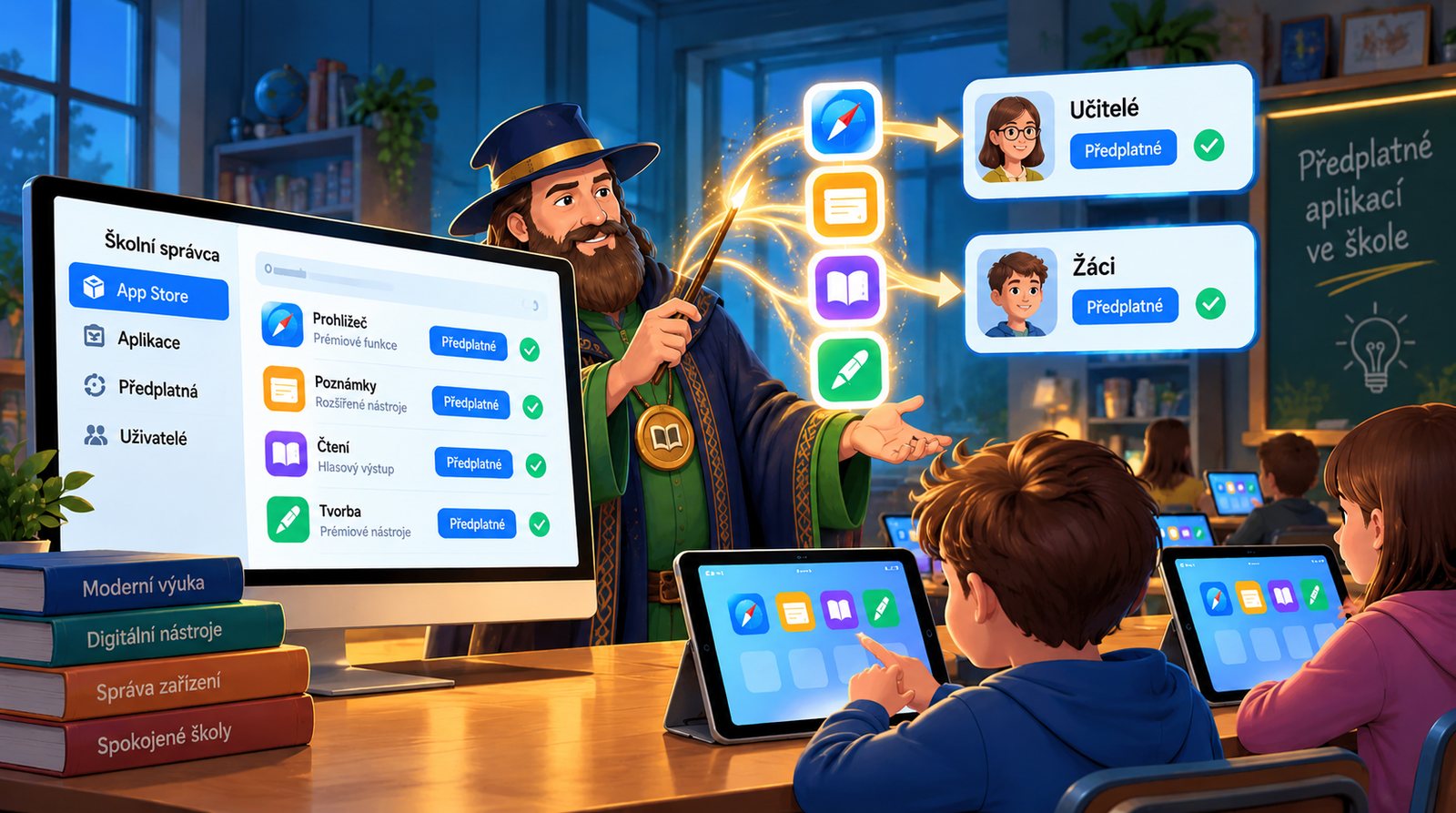
App subscriptions in Apple School Manager: the school buys them and Hanus.ai assigns them to teachers and students
Since 22 October 2026, schools can buy app subscriptions directly in Apple School Manager. Hanus.ai assigns them to a user with a Managed Apple Account, to a teacher on their iPad and to a student on a Shared iPad. How it works, how many seats you need, what subscriptions cannot do and how to remove and reassign them.
 Apple School Manager
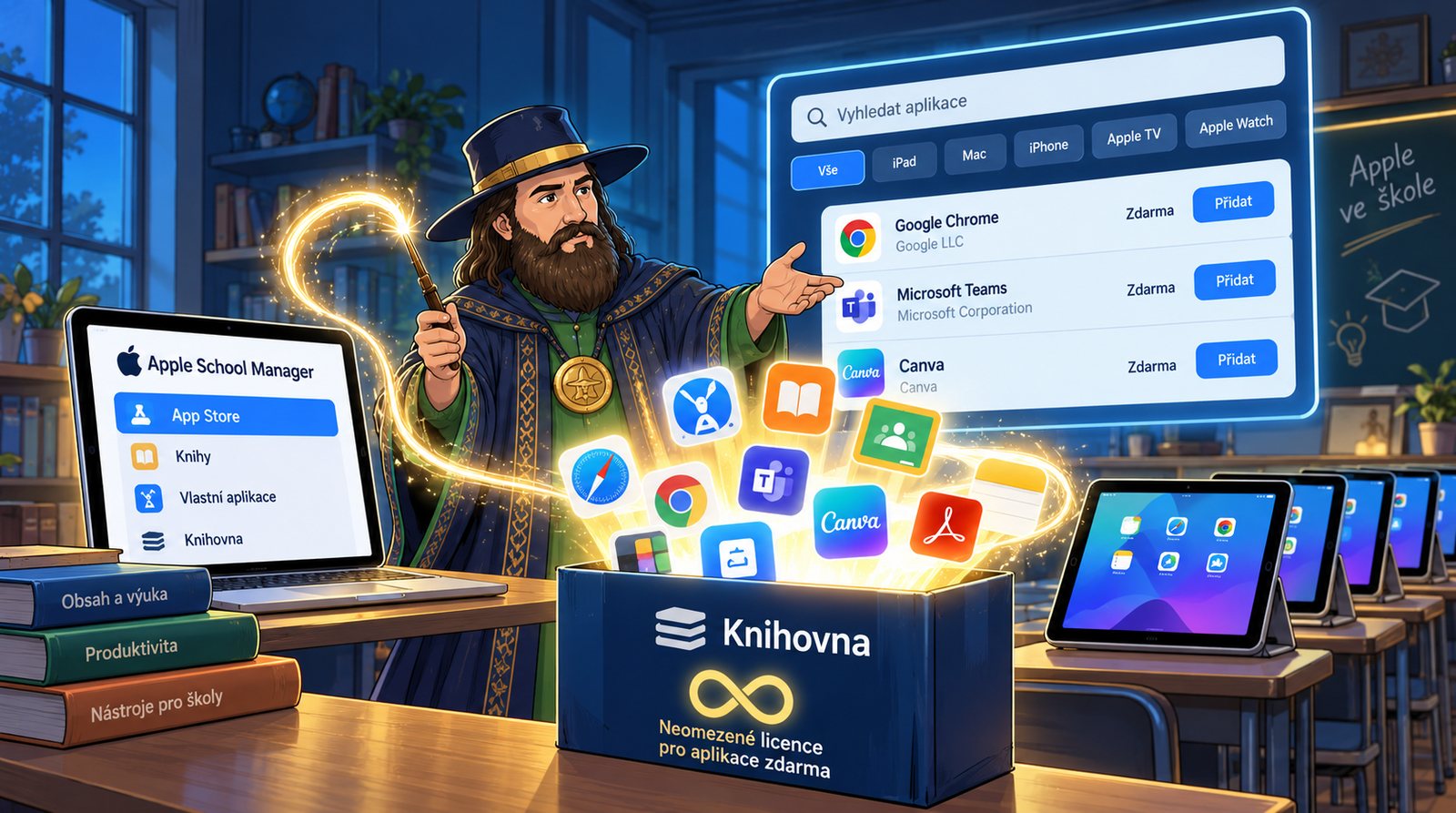
: free apps now have unlimited licences and purchasing has a new look
On 22 October 2026 Apple changed how apps are acquired in Apple School Manager: Apps and Books has been replaced by App Store, Books, Custom Apps and Library. Free apps are simply added to the library and have unlimited licences, paid apps are bought as before. What this means for MDM and how Hanus.ai displays it.
 MDM basics
Shared Mac classroom: set up sign-in with a school Microsoft account from a single card
New in Hanus.ai: the Shared Mac Classroom card sets up Company Portal, Platform SSO with Microsoft Entra ID, the login screen, Office and classroom restrictions all at once. A new Mac from Apple School Manager can register as early as Setup Assistant (macOS 26). A comparison with the manual procedure from public guides.